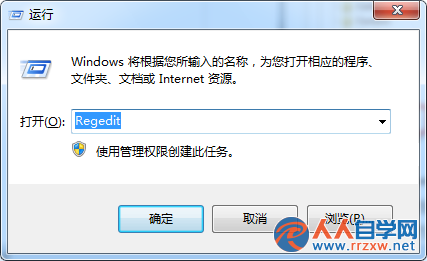
安裝軟體跳出「錯誤 1719:Windows Installer 服務無法存取」,主因是 Windows Installer 服務停用或核心元件 msi.dll 註冊遺失。啟用服務並重新註冊即可修復。
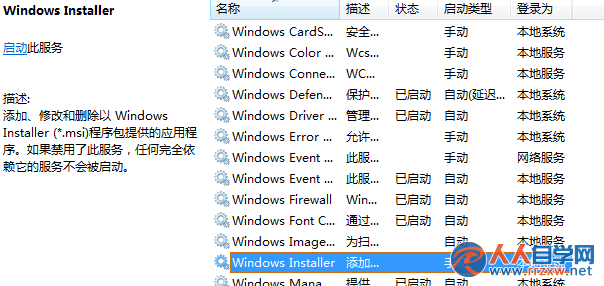
services.msc → 找到 Windows Installer → 雙擊 →「啟動類型」改「自動」→「啟動」→「確定」。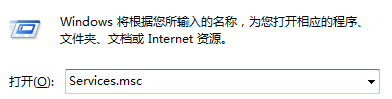
C:\Windows\System32 → 找 cmd.exe → 右鍵「以系統管理員身分執行」。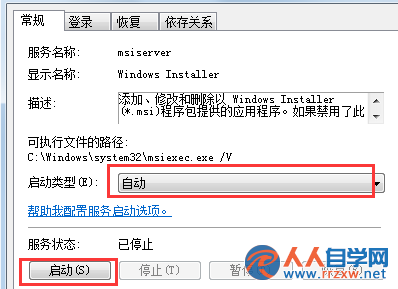
regsvr32 msi.dll → 按 Enter → 提示「DllRegisterServer 在 msi.dll 成功」即完成。若仍失敗,嘗試重新註冊 msiexec.exe(msiexec /unreg 後 msiexec /regserver),或執行 sfc /scannow 修復系統檔。錯誤 1719 為經典 Windows Installer 服務異常代碼,上述步驟可解決 90% 以上案例。
Win7 檔案直接永久刪除不進回收站:Shift+Delete 與右鍵+Shift 兩大技巧
Win7 無法存取 Application Data 資料夾?權限設定解決拒絕存取
Win7 繞過資源回收筒永久刪除檔案,Shift+Delete 組合鍵最快
Win7 開啟 QQ 提示「應用程式組態不正確」?兩大主因與完整修復教學
Windows 7 資源管理器找回「回收站」「控制面板」導航窗格圖標
Win7 取得檔案/資料夾完整控制權限:右鍵選單加入「管理員取得所有權」註冊表一鍵部署
Win7 切換視窗後程式未回應?刪除登錄表 HungAppTimeout、WaitToKillAppTimeout 等逾時值