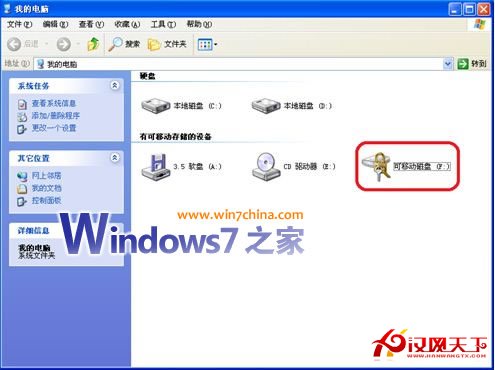
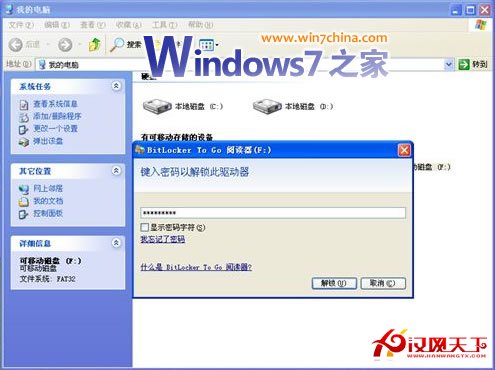
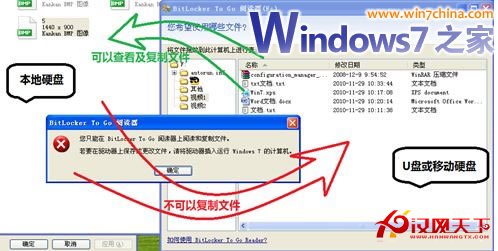
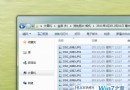
Win7 以 BitLocker To Go 加密 USB 碟後,插入 XP SP3 系統實測:
重要限制: 僅支援 FAT/FAT32 格式的 USB 碟/行動硬碟。NTFS 格式在 XP 下會提示格式化(切勿誤按)。解決辦法:行動硬碟分出一個 FAT32 分區存機密檔並加密,其餘空間保留 NTFS。
提醒:XP 使用者請務必升級 SP3 以確保系統安全。
Win7 旗艦版:掌握音量合成器,獨立調節每個應用程式音量
Win7 系統批量安裝字體的快速方法
找不到 Win7 64 位鏡像檔?「小黑馬系統重裝大師」雲端自動部署一鍵重裝
Win7 發現 found.000 資料夾?CHK 檔案重命名恢復資料完整教學
Windows 7 命令提示符以管理員權限運行:啟用內建 Administrator 帳戶 + runas 命令
Win7 C 槽 System Volume Information 資料夾刪除教學:病毒藏身處徹底清除
Win7 啟用離開模式:註冊表新增 AwayModeEnabled 讓睡眠鍵進入背景運作狀態
Win7 登錄實現桌面壁紙切換淡入淡出動畫:AnimationDuration 鍵值設定