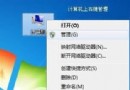
本文與 ID 5721 內容重複,均為 Windows 7 虛擬 Wi-Fi 熱點設定教學。核心步驟:以管理員開啟 CMD → netsh wlan set hostednetwork mode=allow ssid="名稱" key="密碼" → 啟用 ICS 共用實體網卡給虛擬介面卡 → netsh wlan start hostednetwork 啟動熱點。驅動需支援 Windows 7 Logo 認證,否則虛擬介面卡不會出現。可改用 Connectify 圖形化工具簡化操作。
netsh wlan set hostednetwork mode=allow ssid="名稱" key="密碼"
netsh wlan start hostednetwork
Win7 任務列顯示星期幾?短日期格式加入 dddd 即可顯示完整星期
Win7 防火牆無法啟用/推薦設定無反應?登錄檔權限修復 MpsSvc 服務存取
Windows 7 右鍵選單精簡指南:透過登錄編輯器移除多餘項目
Win7 雙擊 USB 隨身碟跳出「格式化」提示?五大原因與免格式化救援法
XP/Win7 網頁瀏覽字體模糊不清?三大原因與解決方案全攻略
Win7 手動載入登錄檔:regsvr32 註冊 OCX/DLL 元件修復程式錯誤
Win7 任務列不顯示最小化視窗?重設 Explorer 與登錄快速修復
三月女生節:Win 7 搭配 IE9 打造時尚輕鬆網購生活