netsh wlan 是 Win7/Vista/Server 2008 強大的無線網路命令列工具,支援腳本化部署多台電腦。本文整理核心指令分類速查:
netsh wlan set hostednetwork mode=allow ssid=名稱 key=密碼 keyUsage=persistent
netsh wlan start hostednetwork
netsh wlan show hostednetwork
netsh wlan refresh hostednetwork
netsh wlan stop hostednetwork
netsh wlan export hostednetworkprofile folder=路徑 name=設定檔名
啟用後,於「網路連線」中右鍵連上網際網路的介面卡 →「共用」→ 選擇虛擬介面卡,即可共享上網。
netsh wlan show createalluserprofile
netsh wlan show allowexplicitcreds
netsh wlan show onlyusegpprofilesforallowednetworksnetsh wlan reportissues # 產生診斷報告 (C:\Windows\Tracing)
netsh wlan set allowexplicitcreds allow=yes|no
netsh wlan set blockperiod 分鐘數
netsh wlan set profiletype name=名稱 profiletype=all|current
netsh wlan show networks # 列出鄰近無線網路詳細資訊
netsh wlan connect ssid=名稱 name=設定檔 interface=介面名
netsh wlan export profile folder=路徑 name=設定檔 interface=介面名
netsh wlan add profile filename=路徑 interface=介面名 user=all|current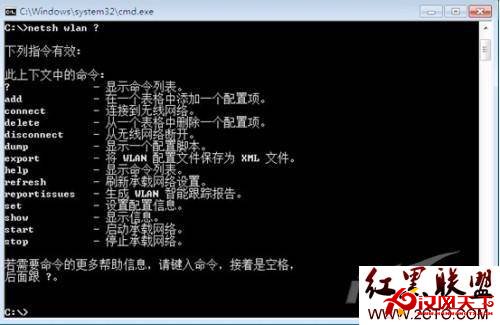
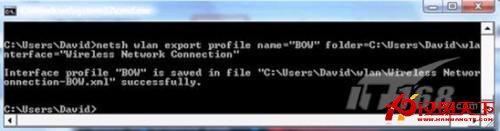
善用指令腳本,實現無線網路設定自動化部署與快速疑難排解。