Win7 刪除桌面檔案後圖示殘留,需右鍵「重新整理」才消失。原因是登錄 UpdateMode 值預設為 1(手動重新整理),改為 0 即可自動更新。
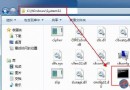
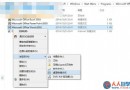
regedit。HKEY_LOCAL_MACHINE\SYSTEM\CurrentControlSet\Control\UpdateUpdate 機碼,在 Control 下新建)。UpdateMode = 0。記事本貼上以下內容,存為 AutoRefresh.reg,雙擊匯入:
Windows Registry Editor Version 5.00

[HKEY_LOCAL_MACHINE\SYSTEM\CurrentControlSet\Control\Update]
"UpdateMode"=dword:00000000
UpdateMode = 0:自動重新整理(預設行為)。UpdateMode = 1:手動重新整理(需右鍵刷新)。修改後刪除/複製/移動桌面檔案即時生效,無需手動重新整理。