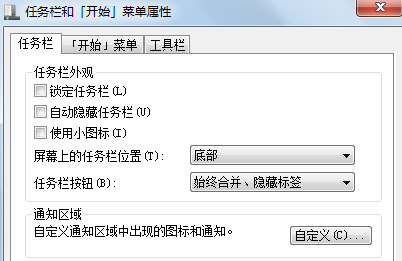
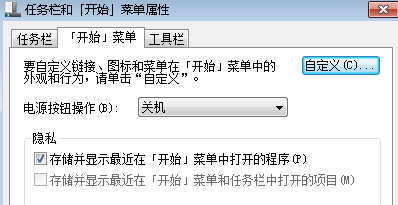
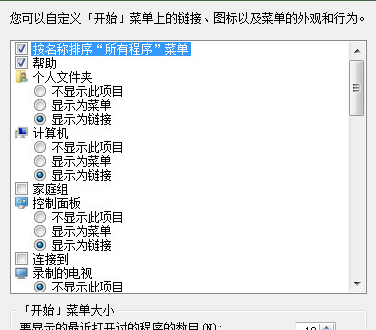
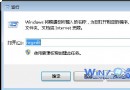
點擊開始按鈕,選單內容一片空白,無常用程式、無控制台捷徑。原因是「工作列與開始功能表屬性」中隱私選項未勾選「儲存並顯示最近開啟的程式」,或顯示筆數設為 0。
cmd
del /f /q %AppData%\Microsoft\Windows\Recent\AutomaticDestinations\*
微軟緊急釋出 KB2840149 替換導致 Win7 無限重開機的 KB2823324 更新
Win7 關機緩慢?兩大常見成因與對策:背景程式未關、更新/驅動安裝中
Win7 重裝系統後無法上網?五大排查步驟:Modem、網線、路由器、休息降溫、瀏覽器重裝
Win7 系統《火炬之光 2》開啟主控台(Console)完整設定教學
Win7 開啟虛擬無線網卡,一鍵建立 Wi-Fi 熱點分享上網
Win7 如何刪除多餘使用者帳號?本機使用者和群組管理工具快速清理
Windows 下快速將磁碟分區轉換為 NTFS 格式
Win7 清理圖示快取 (IconCache) 批次檔一鍵修復圖示異常/空白