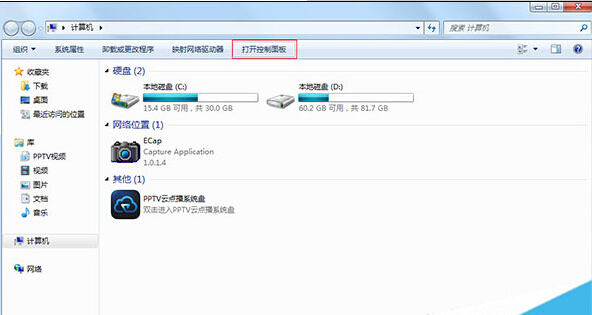
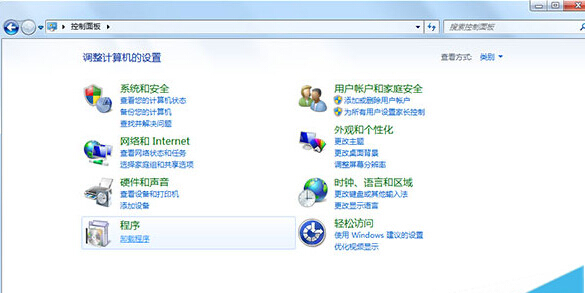
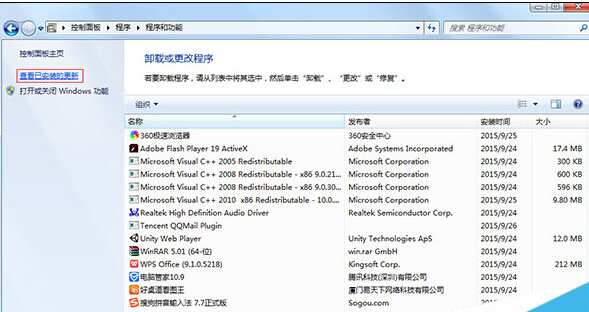
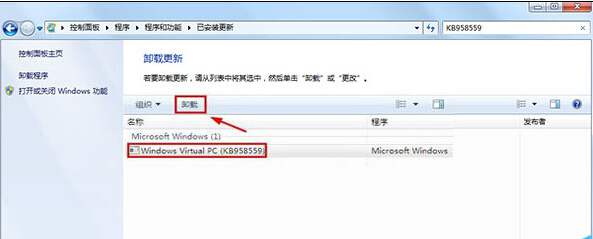
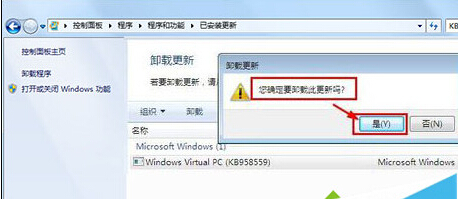
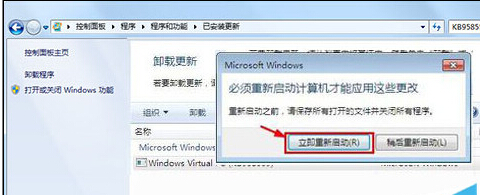
Windows Virtual PC 不在「程式和功能」主清單,需在「已安裝更新」中依 KB 編號找到並卸載。
KB958559
補充:若同時安裝了 Windows XP Mode (XPM),同樣在已安裝更新中搜尋 KB958559 相關項目一併卸載。
Win7 設定桌面背景自動輪換:打造個性化動態桌面
QQ 登入裝置鎖機制解析:為何自家電腦免驗證、他人電腦需掃碼
Win7 開機藍屏 0xC0000225 八大解法:從換驅動、查毒到換記憶體、修 MBR 全覆蓋
Win7 My WiFi 功能顯示停用無法啟用?啟用 Virtual WiFi Miniport 與斷開有線網路
Win7 刪除本地瀏覽記錄(輸入網址歷史)?登錄表清除 TypedPaths 鍵值
Win7 十大必會熱鍵:Win+Space/D/T/G/P/X/+… 系統管理與日常操作的效率倍增器
Win7桌面反覆出現 minidump.dmp 檔案?罪魁禍首是迅雷,三步驟徹底解決
Win7 玩 LOL 提示網路連線異常?停用 Windows 防火牆服務測試