快速設定步驟
- 點擊工作列右下角網路圖示展開無線清單。

- 目標無線網路右鍵 → 「內容」。
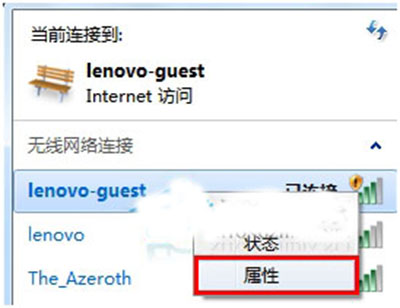
- 取消勾選「當這個網路在範圍內時自動連線」 → 「確定」。
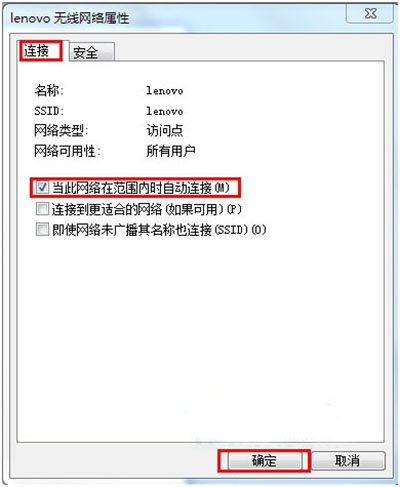
進階管理
- 刪除設定檔徹底忘記: 控制台 → 網路和共用中心 → 管理無線網路 → 右鍵該網路 → 「移除網路」。
- 命令列批量操作: 管理員 CMD 執行 `netsh wlan delete profile name="SSID"`。
- 調整優先順序: 在「管理無線網路」視窗拖曳排序,頂端優先連線。
註:本文內容與 ID 92230 重複,實務操作相同。