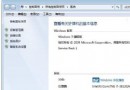
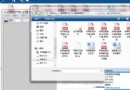
需要查 CPU/記憶體/顯卡/驅動版本等系統資訊?兩法秒開:**開始搜尋「System Information」** 或 **控制台→效能資訊與工具→進階工具→檢視進階系統詳細資料**,完整硬體軟體清單一手掌握。
方法一:開始搜尋 (最快)
- 開始選單搜尋框輸入
System Information → Enter 點擊結果。
方法二:傳統路徑
- 控制台 →「效能資訊與工具」→「進階工具」→「在系統資訊中檢視進階系統詳細資料」。
系統資訊主要分類
- 系統摘要 (OS 版本、BIOS、記憶體、CPU)
- 硬體資源 (IRQ、DMA、I/O、記憶體位址)
- 元件 (多媒體、儲存、網路、輸入裝置)
- 軟體環境 (驅動、服務、啟動程式、環境變數、錯誤報告)
遇到問題求助時,提供「系統摘要」截圖可讓對方快速掌握環境,溝通效率倍增。