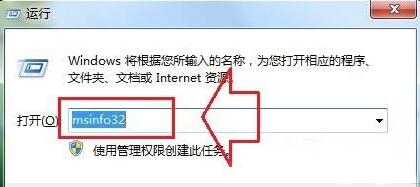
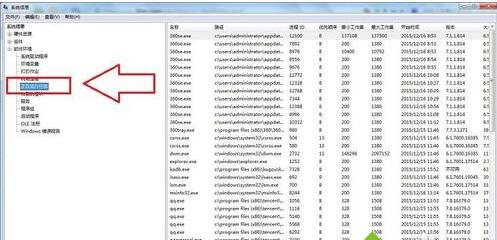
想看後台所有運行任務、驅動、服務、環境變數?Win+R → msinfo32 開啟 **系統資訊**,左側「軟體環境」→「正在執行的工作」比工作管理員更完整、可匯出報表。
msinfo32
同工具可查看:系統摘要、硬體資源、元件、驅動程式、網路連線、環境變數、服務、Windows 錯誤報告等,**適合匯出完整系統報表供技術支援分析**。
Win7 系統 Program Files 資料夾作用與管理詳解 (補充版)
Win7自带色彩校准程序使用教程:控制面板分步向导调整伽马/亮度/对比度/色彩平衡
Win7 如何清理 C 槽垃圾?手動辨識 8 大系統資料夾功能 + 360/金山一鍵瘦身兩種方案
Win7 開機歡迎畫面黑屏?安全模式進入執行 netsh winsock reset 修復
Win7 網頁內容無法複製?四大破解手法:原始碼/百度快照/表格編輯/禁用腳本
Win7 網路不穩定、斷斷續續?十大排查方向完整指南
Win7 提示「區域中找不到無線網路」?啟用 Event Log 服務與無線網卡兩步驟排解
Win7 安裝 Telnet 用戶端與服務,啟用遠端管理功能