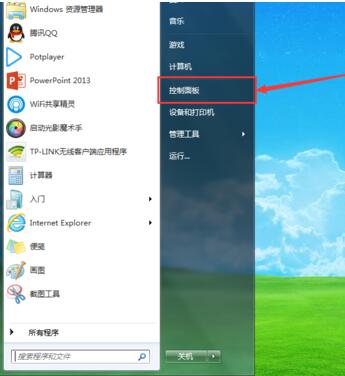
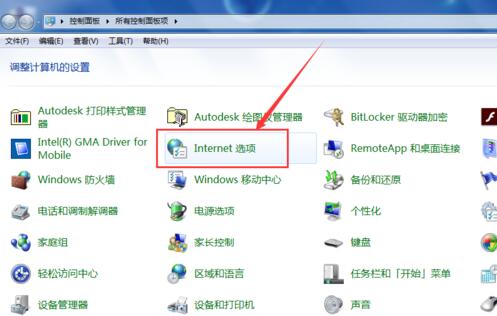
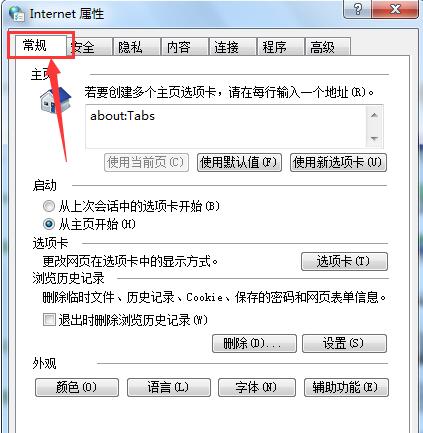
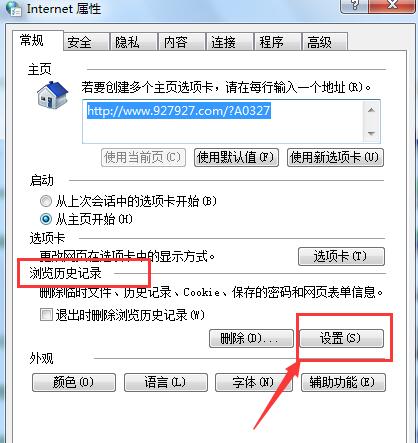
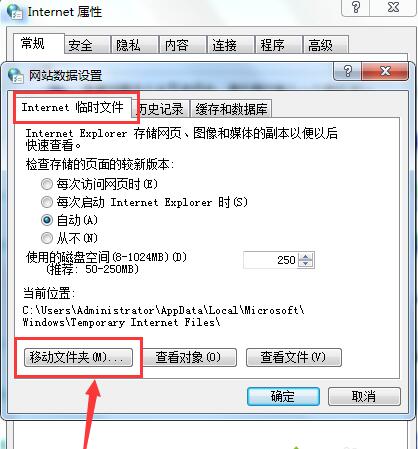
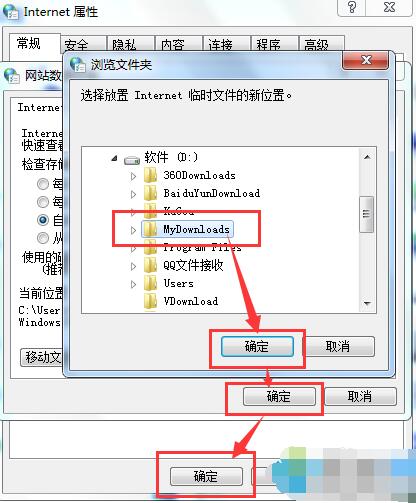
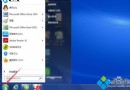
IE 暫存檔預設放在 C 槻,久而久之佔用大量空間。透過「網際網路選項」即可將快取資料夾移至其他磁碟,釋放系統盤壓力。
建議設在大容量非系統盤,並定期手動清理或設定關閉 IE 時自動刪除。
Windows 7 免重裝開啟 AHCI 模式:登錄表修改 + BIOS 設定雙步驟完整教學
Win7 刪除大檔案提示「是否徹底刪除」?調大回收站最大容量解決
Win7 還原 Windows 相片檢視器為預設看圖程式:移除第三方看圖軟體搶檔案關聯
Win7 開機滑鼠動不了?三大原因排查:USB 省電設定、接觸不良、滑鼠故障
Windows 7 批次重新命名檔案:Ctrl+A 全選 → F2 一鍵完成,自動加入序號區分
Win7 家長控制無法開啟?建立標準帳戶與設定密碼完整解法
Win7 玩遊戲畫面兩側有黑邊(窄屏)?登錄修改 Scaling 值強制全螢幕
Epson XP-100 印表機如何多台電腦共用?無線網路共享 vs USB 切換器