Office 安裝常見三大錯誤代碼,成因各異,需對症下藥。
錯誤 2908:加密資料夾權限阻礙寫入
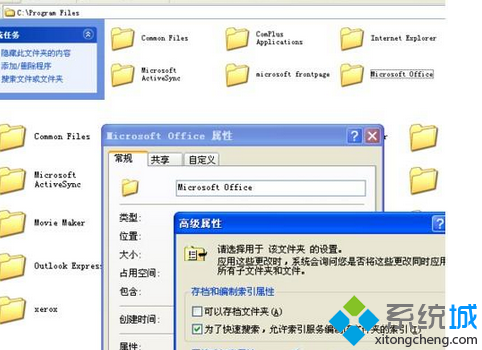
- 右鍵 Office 安裝目標資料夾(如
C:\Program Files\Microsoft Office)→「內容」→「進階」。
- 取消勾選「加密內容以保護資料」→ 確定套用至子資料夾與檔案。
- 若安裝已完成但報錯,同樣操作後重新啟動安裝程式選「修復」。
錯誤 1935:.NET Framework 組件註冊失敗
- 控制台 →「程式和功能」→ 找 Microsoft .NET Framework 4 Client Profile(或 4.5/4.6/4.7/4.8)。
- 右鍵 →「變更/解除安裝」→ 選「修復」→ 完成。
- 若列表無 .NET 4.x,官網下載 .NET Framework 4.8 離線安裝包 安裝。
- 修復無效 → 解除安裝 .NET 4.x → 重新安裝 → 再裝 Office。

錯誤 1321 / 二次安裝報 2908:mscoree.dll 衝突
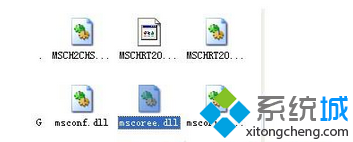
- 開啟
C:\Windows\System32。
- 找到
mscoree.dll → 重新命名為 mscoree.dll.bak。
- 重新執行 Office 安裝程式。
通用預防清單
- 安裝前關閉殺毒軟體/防火牆。
- 以系統管理員身分執行 Setup.exe。
- 安裝路徑無中文、特殊字元、過長路徑。
- 確保 Windows Update 狀態良好(無待安裝更新卡住)。
- Office 2016/2019/2021/365 建議使用 Office 部署工具 (ODT) 離線安裝,成功率最高。