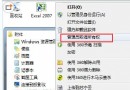
卸载软件后任务栏通知区域(系统托盘)残留幽灵图标,右键无反应、鼠标悬停消失。删除注册表缓存键值即可彻底清理。
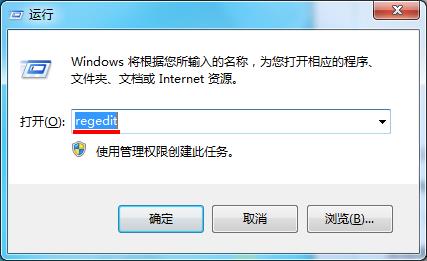
regedit
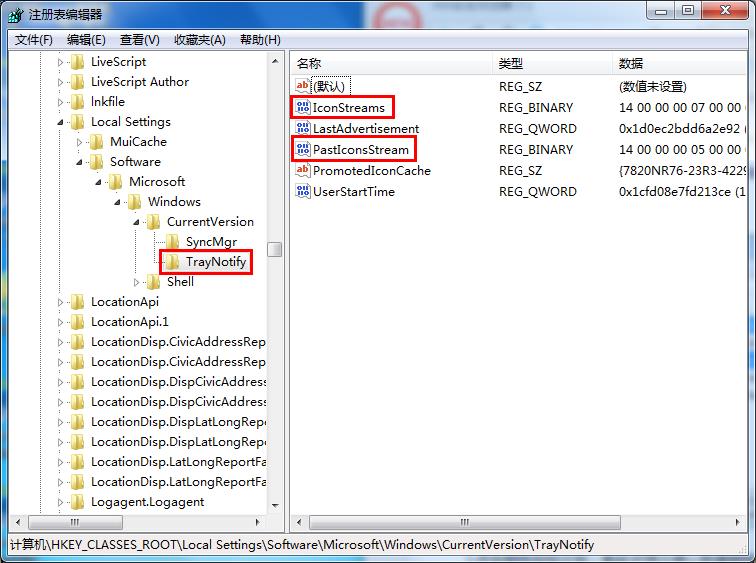
HKEY_CLASSES_ROOT\Local Settings\Software\Microsoft\Windows\CurrentVersion\TrayNotify
explorer.exe
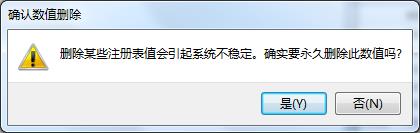
原理: 这两个二进制值缓存了托盘图标的显示状态/位置/图标句柄,卸载程序未清理导致残留。删除后 Explorer 重建干净缓存。
Win7 將安全模式加入開機選單,免按 F8 直接選擇進入
Win7 還原出廠設定完整教學:開機 F8 進入修復環境一鍵重置
電腦沒聲音怎麼辦?從靜音到驅動完整排查指南
Win7 無法更換桌面壁紙怎麼辦?「輕鬆存取」中取消「移除背景」勾選
Win7 連網後變「多重網路」無法上網解決方法
Win7 快捷鍵與精簡優化雙管齊下:六大必學熱鍵 + 三步瘦身系統
Win7 檔案總管頻繁重新啟動、停止運作?乾淨啟動排除第三方服務衝突
Win7 查看系統日誌:事件檢視器篩選 Windows 記錄/系統 錯誤資訊