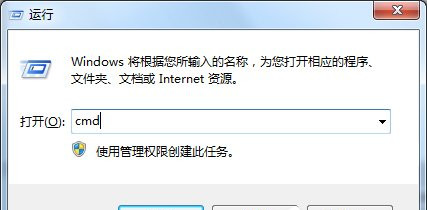
FAT32 單檔 4GB 限制、權限管理弱,轉 NTFS 更適合現代用途。convert 指令不格式化、保留資料 轉換:
convert
cmd
convert F: /fs:ntfs
F:
關鍵說明:
chkdsk F: /f
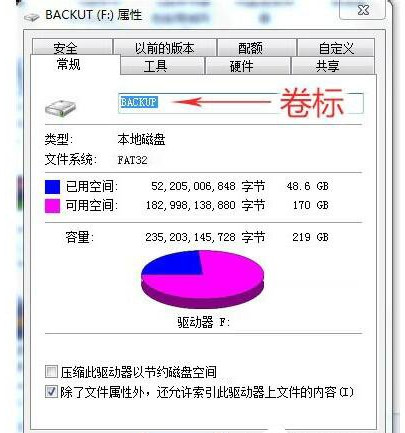
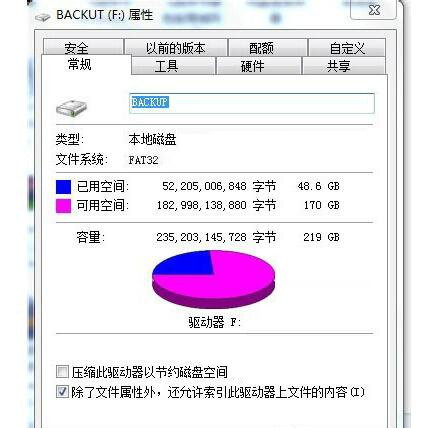
查看磁碟格式:右鍵磁碟 →「內容」→「一般」分頁 →「檔案系統」欄位。
Win7 誤刪桌面「電腦」圖示怎麼恢復?個人化設定一鍵找回
老舊電腦能換新顯卡嗎?CPU 瓶頸、電源功率、主板相容一次搞懂
Win7 玩《英雄聯盟》電腦自動關機?硬體過熱、供電不足、病毒三大元兇全解析
Win7 開始菜單消失?註冊表修復教學快速找回
Win7 限制網卡速率:裝置管理員設定「連線速度與雙工模式」為 10Mbps 全雙工
Win7 查看 BIOS 版本三大法:dxdiag、CPU-Z、開機畫面/Bios 介面
Win7重裝系統後識別不到U盤怎麼辦?USB驅動與Root Hub啟用雙修復
善用 msconfig 加速 Windows 7 開機:調整啟動項、處理器核心數與 UAC 設定