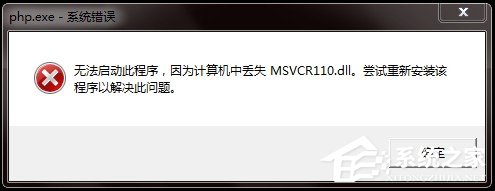
Windows 7 執行某些程式 (特別是 VS2012 編譯的 C++ 程式) 時彈出「遺失 Msvcr110.dll」,代表系統缺少 Microsoft Visual C++ 2012 可轉散發套件。安裝對應版本即可修復。
修復步驟
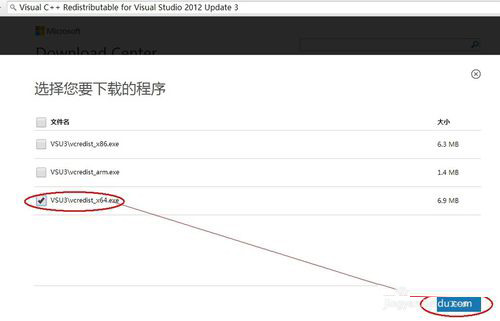
- 下載 VC++ 2012 可轉散發套件:前往 Microsoft 官網下載中心搜尋「Visual C++ Redistributable for Visual Studio 2012 Update 4」或直接下載
vcredist_x86.exe (32 位元) 與 vcredist_x64.exe (64 位元)。
- 選擇正確架構:
- 32 位元系統 (x86) → 僅安裝
vcredist_x86.exe。 - 64 位元系統 (x64) → 建議兩者皆安裝 (先裝 x86 再裝 x64),因 64 位元系統仍需運行 32 位元程式。
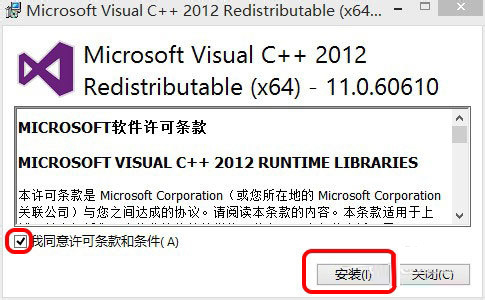
- 安裝流程:雙擊執行檔 → 勾選「我同意授權條款」→「安裝」→ 等待進度條完成。
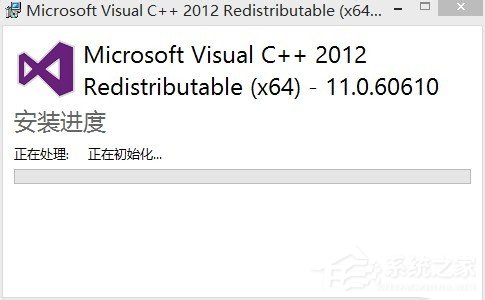
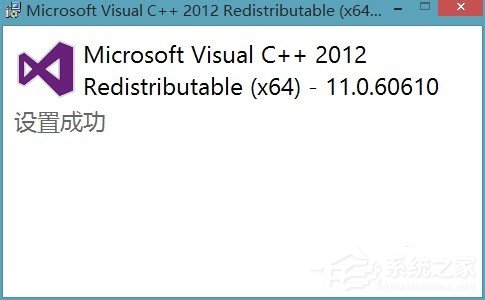
- 完成:出現「安裝成功」提示,重新啟動原本報錯的程式即可正常運行。
補充說明
Msvcr110.dll 為 Visual C++ 2012 (VC11) 執行階段核心 DLL,版本號 11.0.xxxxx。- 若仍報錯,嘗試安裝 Visual C++ 2013 (vcredist_2013)、2015-2022 (vcredist_2015-2022) 套件,新版包含舊版元件並向下相容。
- 切勿從不明網站下載單一 DLL 檔放入 System32,易攜帶惡意碼且版本不匹配導致更多錯誤。