QQ 登入失敗常因 Windows 防火牆攔截。解決方式包含 QQ 端設定「使用瀏覽器設定」與防火牆端加入例外或暫時關閉。
QQ 端設定
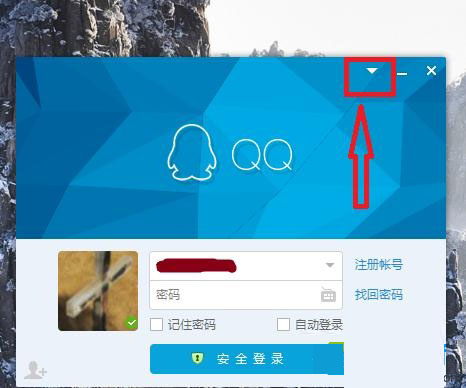
- QQ 登入介面右上角選單 → 「網路設定」→「網路類型」選「使用瀏覽器設定」。
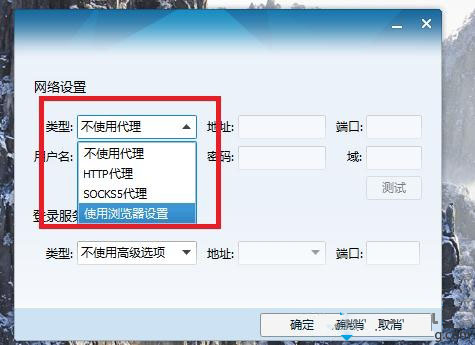
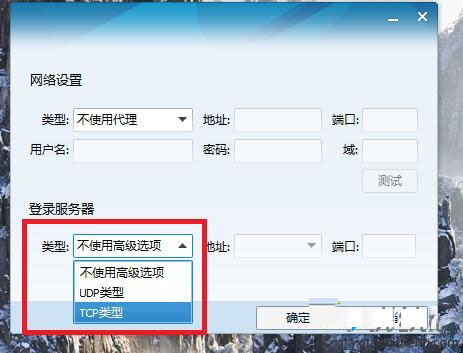
- 「登入伺服器」嘗試切換不同類型(TCP/UDP/HTTP)。
防火牆端設定
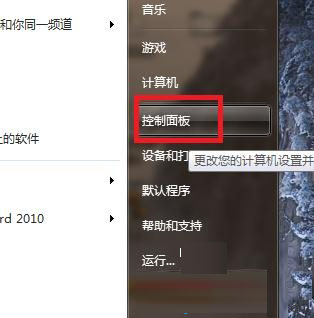
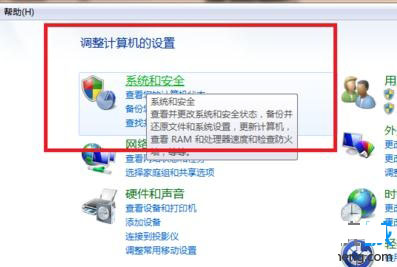
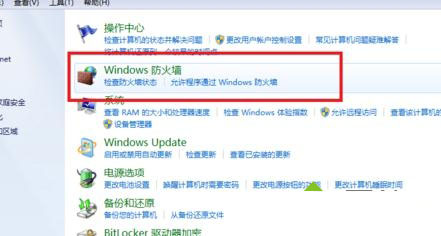
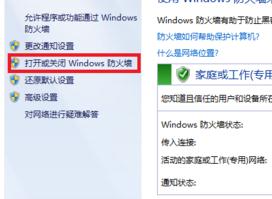
- 控制台 →「系統與安全性」→「Windows 防火牆」→「開啟或關閉 Windows 防火牆」。
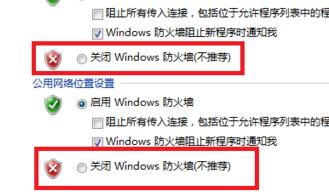
- 私人/公用網路均選「關閉 Windows 防火牆」(測試用,測試後請重新開啟)。
進階做法:新增輸入規則
不想完全關閉防火牆時,可在「進階設定」→「輸入規則」→「新增規則」→「程式」→ 選取 QQ 執行檔 → 允許連線。此法兼顧安全與功能。