Windows XP Windows 7 Windows 2003 Windows Vista Windows 綜合教學 Linux 系統教學
Windows 10 Windows 8 Windows 2008 Windows NT Windows Server 電腦軟體教學

Win7 桌面圖示出現藍色問號?刪除 .svn 隱藏資料夾解決 SVN 殘留問題

編輯:Win7 系統應用技巧

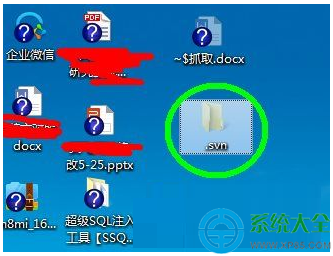
Win7 桌面捷徑或資料夾圖示出現藍色問號,通常是 TortoiseSVN 或其他版控工具留下的 .svn 隱藏資料夾干擾圖示快取所致。顯示隱藏檔案並刪除該資料夾即可解決。
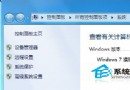
資料夾選項-檢視設定
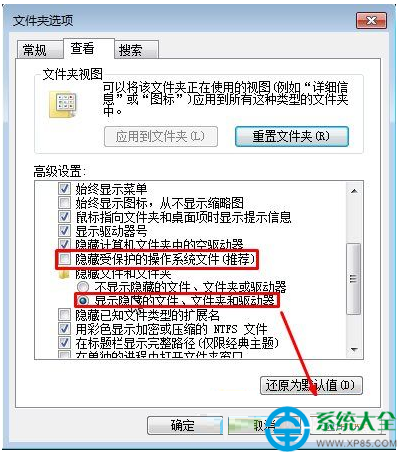
顯示隱藏檔案選項
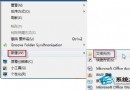
桌面 .svn 資料夾

操作步驟

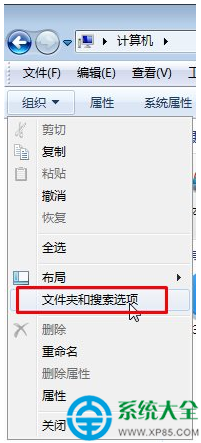
  1. 開啟「電腦」→ 工具列「組織」→「資料夾和搜尋選項」。
  2. 「檢視」索引標籤 → 進階設定:
    • 選擇 「顯示隱藏的檔案、資料夾和磁碟機」
    • 取消勾選 「隱藏受保護的作業系統檔案 (建議)」
    點擊「套用」→「確定」。
  3. 切換到桌面,尋找半透明的 .svn 資料夾(可能在桌面根目錄或特定專案資料夾內)。
  4. 右鍵刪除該 .svn 資料夾(若有多個專案資料夾,各自內部的 .svn 可視需求保留)。
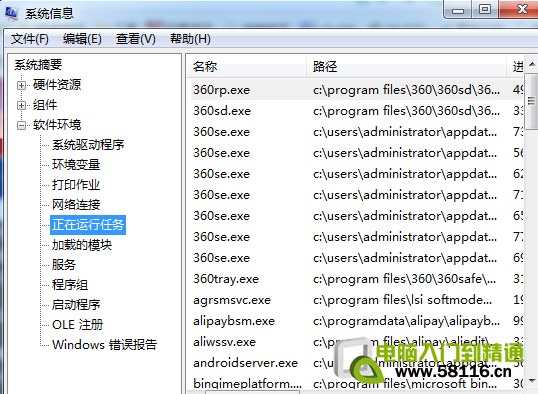
  5. 重新開機或重新啟動 explorer.exe,圖示恢復正常。

補充:清理圖示快取(若刪除 .svn 後仍異常)

  1. Win+R → cmd → 輸入以下指令逐行執行:
ie4uinit.exe -show
taskkill /f /im explorer.exe
del /a /q %localappdata%\Microsoft\Windows\Explorer\iconcache_*.db
start explorer.exe

預防建議

  • TortoiseSVN 設定中可關閉「圖示疊加」功能減少干擾。
  • 專案資料夾建議放在非桌面路徑(如 D:\Projects),避免汙染桌面環境。
Copyright © Windows教程網 All Rights Reserved