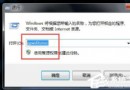
msinfo32
系統摘要
軟體環境
正在執行的工作
此法比工作管理員更完整,可揭露藏在背景的無介面程序、服務主機進程等,適合進階排查系統資源佔用。
Windows 7 設定 IPv6 連線失敗?關鍵在於「IP Helper」服務未啟動
Windows 7 任務列縮圖預覽大小與速度調整:自訂縮圖尺寸、加速顯示延遲
Win7 系統還原功能實戰:啟用保護、建立還原點、還原檔案版本、找回遺失資料
電腦螢幕畫面上下邊距怎麼調?螢幕物理按鍵「Auto/自動調整」一鍵搞定
Win7 搜狗輸入法頻繁「停止運作」?一鍵修復工具與重裝大法
工作記錄本怎麼選?紙質筆記本挑選三大關鍵
春晚直播電腦怎麼看?央視影音、網頁直播、手機投屏多種觀看方式
Win7 開啟「電腦管理」提示找不到檔案?修復登錄檔命令路徑