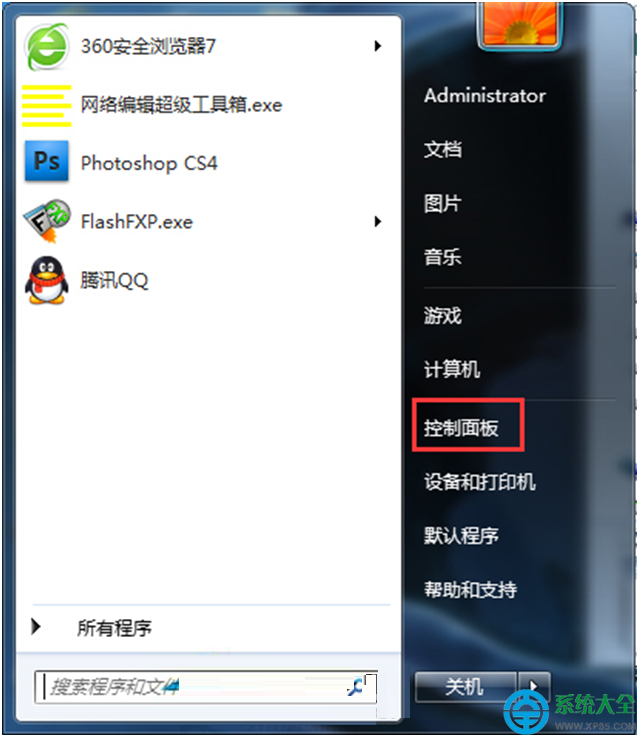
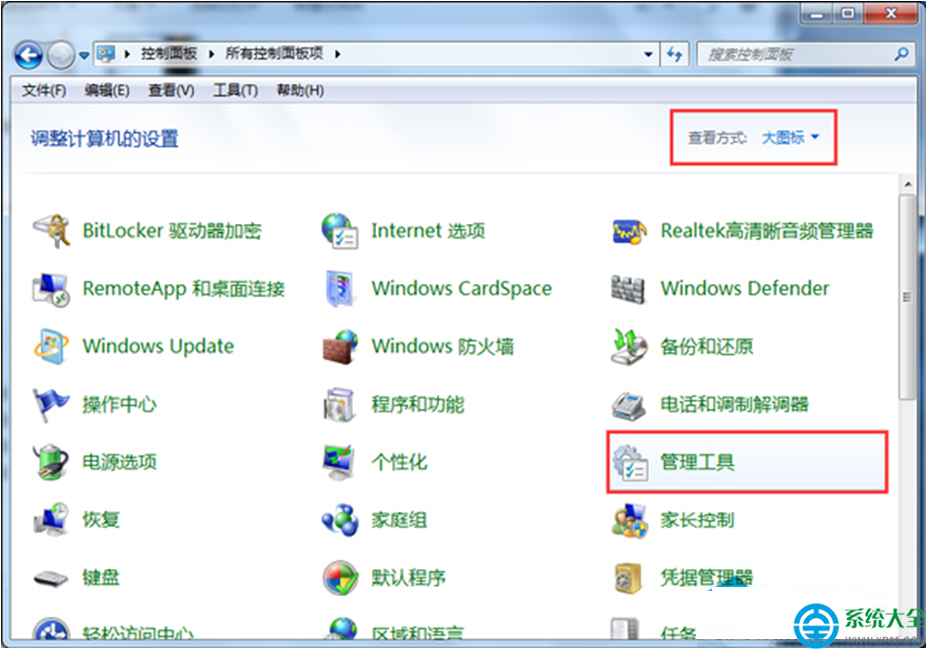
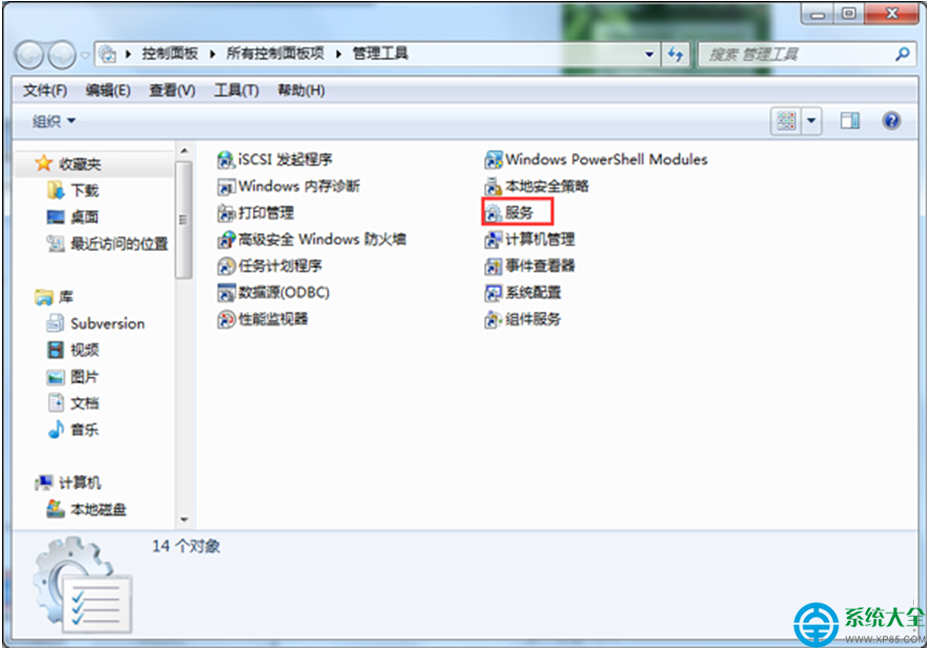
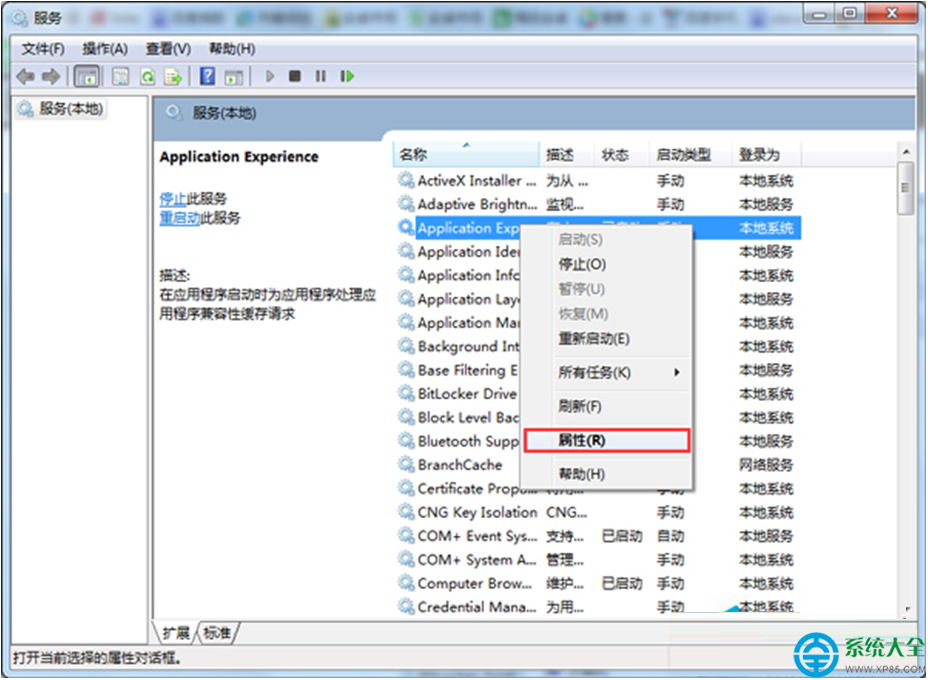
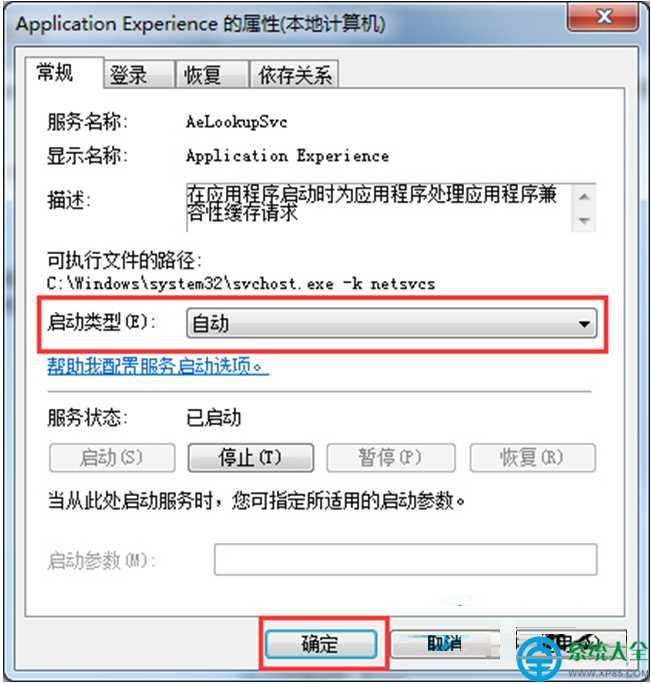
Windows 7 開啟網路連線屬性時提示「部分控制項被停用」,無法設定 IP/DNS,主因是 Application Experience 服務被停用。啟用該服務即可恢復完整功能。
此服務負責處理應用程式相容性與系統元件互動,被優化軟體誤停用後會導致網路、防火牆、Windows Update 等介面功能受限。建議設為自動啟動並保持運行。
Windows 7 工作管理器選單列消失?雙擊標題列秒修復
Windows 7 自我修復功能全解析:啟動修復、系統還原、映像還原三層防護
Win7 設定桌面壁紙完整全螢幕顯示的技巧
Win7 開始選單圖片與桌面主題錯亂變形?關閉儲存記錄即可修復
Win7 開啟/自訂自動播放功能:控制台設定光碟/USB/裝置插入行為
Win7 如何快速存取指定電腦的共享資源?CMD net view 指令查看
聯想筆記本卡在 Windows 開機Logo 不動?U盤重裝純淨版 Win10 徹底解決
電腦讀取SD卡影片完整教學:讀卡器選購與播放軟體推薦