Windows 7 執行舊版程式(特別是 XP 時代軟體)常發生無法啟動、閃退、報錯。內建「相容性疑難解答」與「相容模式」多數可解決。
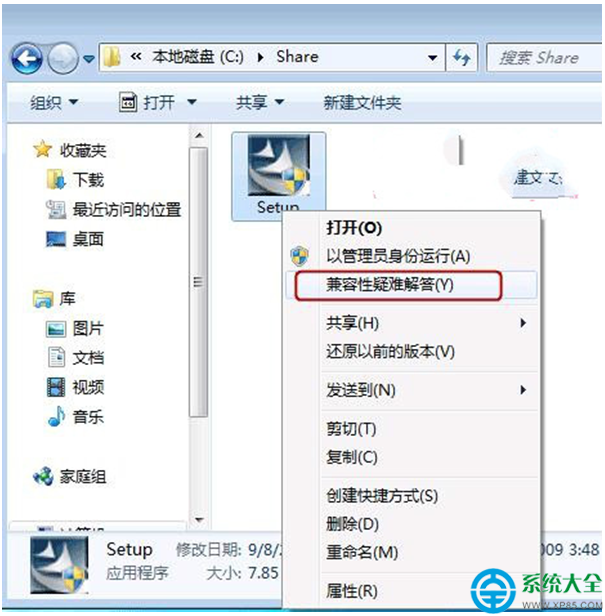
方法一:相容性疑難解答(自動偵測)
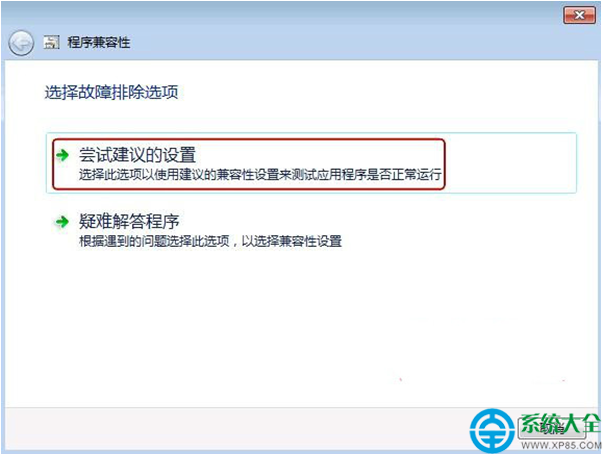
- 右鍵程式執行檔/捷徑 → 「針對相容性疑難排解」。
- 選擇「嘗試建議的設定」。
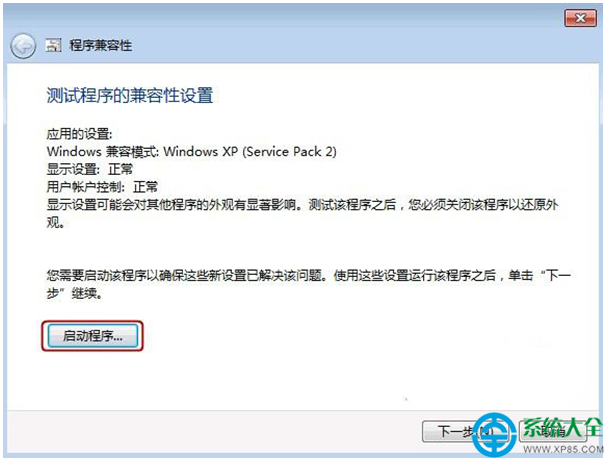
- 測試程式啟動,正常則「下一步」→「是,儲存這些設定」。
方法二:手動設定相容模式(精確控制)
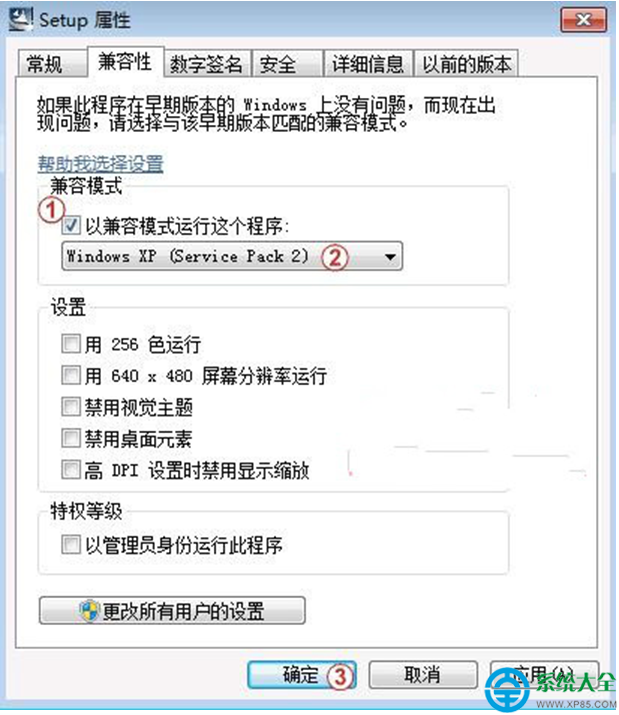
- 右鍵程式 → 「屬性」→ 「相容性」索引標籤。
- 勾選 「以相容模式執行這個程式」,下拉選單選擇 「Windows XP (Service Pack 3)」 或「Windows 7」(視程式年代)。
- 建議同步勾選:「以系統管理員身分執行此程式」。
- 「套用」→「確定」,重新執行程式。
若仍無法執行,嘗試:關閉 DEP(資料執行防護)、停用防毒軟體即時掃描、安裝 Visual C++ Redistributable 運行庫、或使用虛擬機安裝 XP 系統執行極舊軟體。