Windows XP Windows 7 Windows 2003 Windows Vista Windows 綜合教學 Linux 系統教學
Windows 10 Windows 8 Windows 2008 Windows NT Windows Server 電腦軟體教學

Win 7 隱藏技巧:Shift + 右鍵「在此處開啟命令視窗」秒開 CMD,比 Win+R 更快

編輯:Win7 系統應用技巧

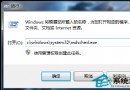
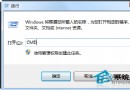
多數人開啟命令提示字元習慣用 Win+R → cmd,但 Windows 7 隱藏一個更快、更精準的進入點:**在總管/桌面空白處按住 Shift + 右鍵,即出現「在此處開啟命令視窗」**,直接以當前資料夾路徑為工作目錄啟動 CMD,免去手動 cd 切換路徑之苦。

操作示範

  1. 開啟總管進入任意資料夾 (如 D:\Projects\Code)。
  2. 在空白處 **按住 Shift 不放**,滑鼠右鍵。
  3. 右鍵選單中會多出 「在此處開啟命令視窗」 (Open command window here)。
  4. 點擊即啟動 CMD,提示字元直接顯示 D:\Projects\Code>。

為何比 Win+R 更實用?

  • **自動定位路徑**:無需手動輸入長路徑或 cd /d 切換盤符。
  • **支援網路路徑**:在網路芳鄰共享資料夾同樣有效,直接以 UNC 路徑啟動。
  • **桌面也適用**:桌面空白處 Shift+右鍵,即以 C:\Users\名稱\Desktop 為工作目錄。

進階:加入右鍵選單永久顯示 (免按 Shift)

若想不按 Shift 就看到該選項,可匯入以下註冊表:

Windows Registry Editor Version 5.00
[HKEY_CLASSES_ROOT\Directory\Background\shell\cmdhere]
@="在此處開啟命令視窗"
"NoWorkingDirectory"=""
[HKEY_CLASSES_ROOT\Directory\Background\shell\cmdhere\command]
@="cmd.exe /s /k pushd \"%V\""

存為 cmdhere.reg 雙擊匯入,即永久顯示於右鍵選單。

Copyright © Windows教程網 All Rights Reserved