Windows XP Windows 7 Windows 2003 Windows Vista Windows 綜合教學 Linux 系統教學
Windows 10 Windows 8 Windows 2008 Windows NT Windows Server 電腦軟體教學

Windows 7 将常用文件夹固定到任务栏:重命名为 .exe 再拖拽的曲线救国法

編輯:Win7 系統應用技巧

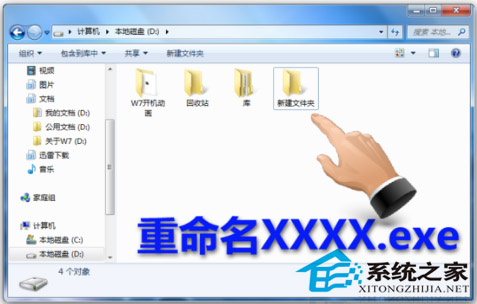
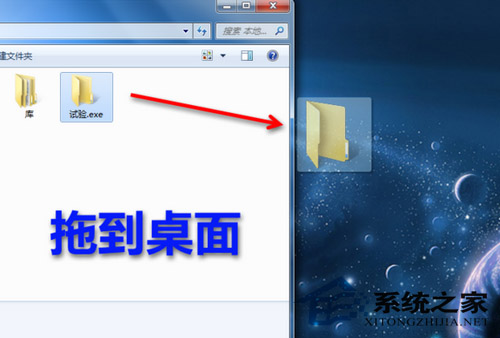
Windows 7 任务栏仅支持可执行文件(.exe)固定。将目标文件夹重命名为 xxx.exe → 拖至桌面 → 再拖至任务栏 → 右键任务栏图标 → “属性” → “更改图标” 指向 shell32.dll 或 imageres.dll 选美观图标 → 改回原文件夹名(任务栏快捷方式保留)。

操作流程

  1. 文件夹重命名为 MyFolder.exe。
  2. 剪切到桌面 → 拖入任务栏固定。

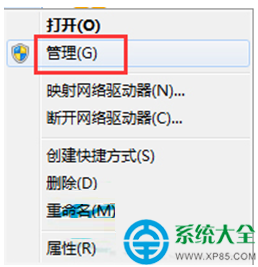
  3. 右键任务栏图标 → “属性” → “更改图标” → 浏览 C:\Windows\System32\shell32.dll 或 imageres.dll 选图标。
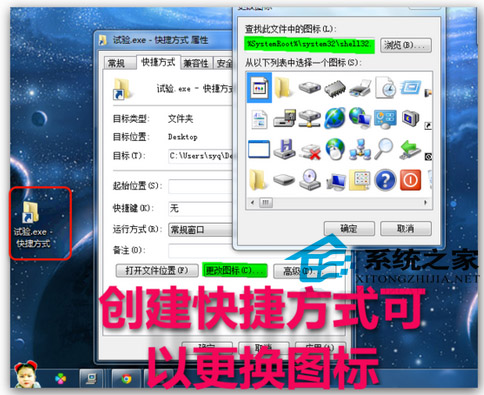

原理:任务栏识别 .exe 扩展名允许固定,实际指向文件夹路径。Windows 10/11 可直接右键文件夹 → “固定到任务栏”原生支持,无需变通。

Copyright © Windows教程網 All Rights Reserved