Windows XP Windows 7 Windows 2003 Windows Vista Windows 綜合教學 Linux 系統教學
Windows 10 Windows 8 Windows 2008 Windows NT Windows Server 電腦軟體教學

Win7 組合鍵無法叫出工作管理器?刪除 taskmgr.exe.manifest 檔案修復

編輯:Win7 系統應用技巧

Win7 按 Ctrl+Shift+Esc 或 Ctrl+Alt+Del 無法開啟工作管理器,可能是 taskmgr.exe.manifest 檔案損毀導致。修復方法:

修復步驟

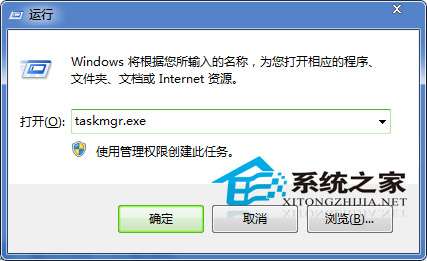
  1. 按 Win + R 輸入 taskmgr.exe 強制開啟工作管理器(或 Ctrl+Alt+Del 選擇工作管理器)。
  2. 按 Win + R 輸入 cmd 開啟命令提示字元。
  3. 輸入以下指令檢查並刪除損毀的 manifest 檔案:
    dir C:\Windows\System32\taskmgr.exe.manifest
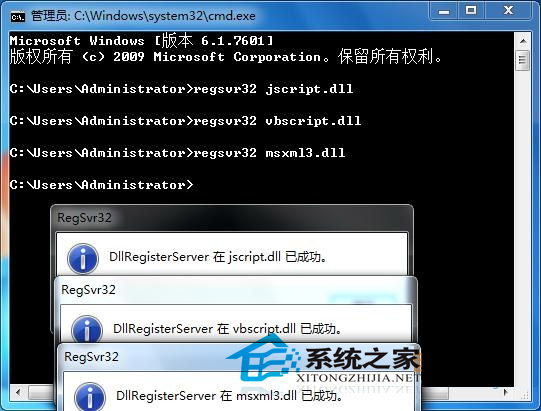
    若存在,執行:
    del C:\Windows\System32\taskmgr.exe.manifest
  4. 重新開機,組合鍵即可正常叫出工作管理器。

執行 taskmgr.exe 開啟工作管理器

CMD 檢查刪除 taskmgr.exe.manifest

原理: .manifest 為應用程式資訊清單檔,損毀會導致執行檔無法正確載入。刪除後 Windows 會自動重新產生正確的資訊清單。若刪除後仍無法運作,嘗試執行 sfc /scannow 修復系統檔案。

Copyright © Windows教程網 All Rights Reserved