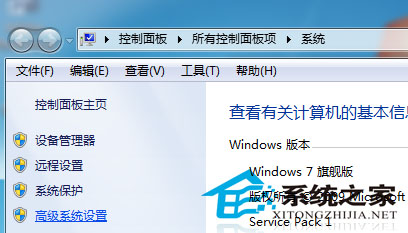
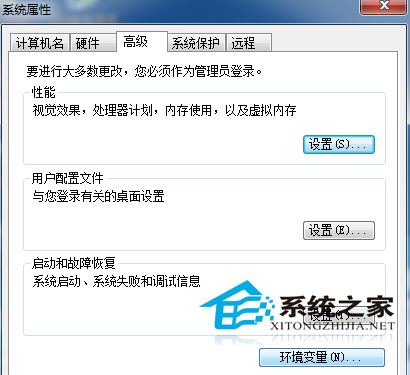
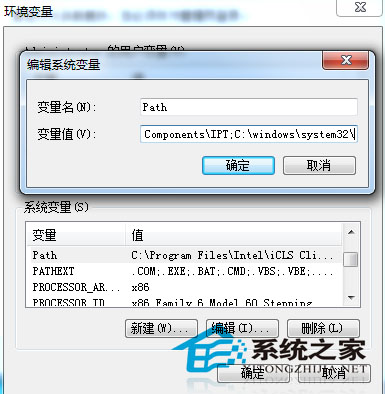
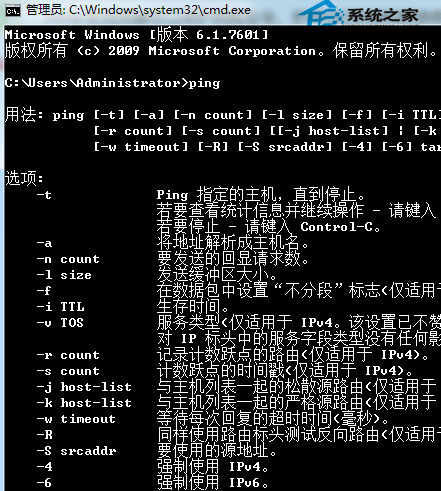
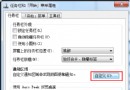
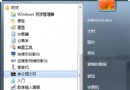
CMD 執行 ping 提示「'ping' 不是內部或外部命令、可執行的程式或批次檔」,是因為系統環境變數 Path 遺失 C:\Windows\System32 路徑。修復方法:
ping
Path
C:\Windows\System32
;C:\Windows\System32\
;
ping www.google.com
補充: 若 Path 變數值過長導致截斷,建議清理無效路徑或使用 setx 指令分段設定。修改環境變數後需重新開啟 CMD 才生效。
setx
Win7 家庭組組建局域網:三步實現檔案共享、聯機遊戲,比工作組簡單百倍
Win7 筆電 Wi-Fi 訊號不穩、時快時慢?七大優化方向 (路由器/環境/設定)
Win7 搜尋功能消失找回:權限檢查與 Windows Search 服務啟用
老電腦能裝 Win7 64位嗎?記憶體 4GB 以上建議上 64 位,附升級建議
Win7 藍牙功能怎麼開啟?四步驟啟用藍牙圖示與服務
Win7 如何關閉 Intel 快速儲存技術 釋放系統資源
解決 Windows 7 更新補丁後黑屏:離線更新法與 Prevx 修復工具雙管齊下
Win7 光碟機不讀碟、雙擊提示「請插入光碟」?停用 Shell Hardware Detection 服務即刻解決