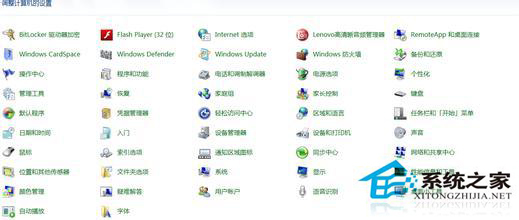
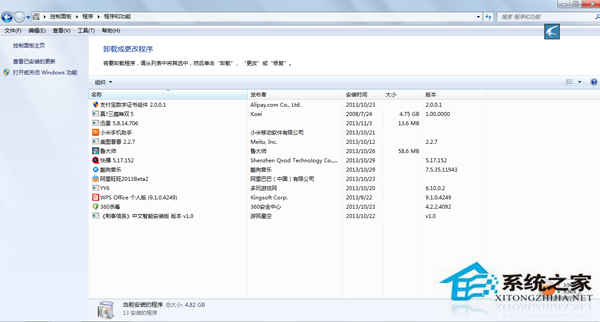
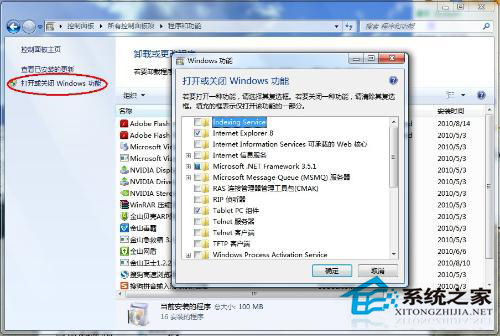
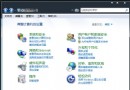
Windows 7 內建的小遊戲(蜘蛛紙牌、紅心大戰、撲克等)佔用少量磁碟空間與系統資源,若不需使用,可透過「開啟或關閉 Windows 功能」徹底移除,精簡系統。
移除後可騰出數十 MB 空間,並減少開始選單雜項。若日後想玩,可同路徑重新勾選安裝。
Win7 桌面圖示不見了怎麼找回?兩種情況分類解決方案
Win7 系統內建優化全攻略:開關機加速、服務精簡、視覺特效調整
显卡散热全认知:风扇外形/大小/叶片/高度/分类(含油/滚珠)选购避坑指南
Win7 無法停用「區域連線」?重設 Winsock 與 TCP/IP 協議堆疊解決裝置鎖定
Win7 英文輸入法不見了怎麼找回?控制台新增「美式鍵盤」並設為預設即可恢復
Windows 7 重裝後必做的 5 項關鍵優化設定,讓系統更穩定、更流暢
Windows 7 滑鼠一鍵呼叫 3D 立體視窗切換:建立快速啟動捷徑教學
Windows 7 變更檔案關聯程式完整指南:圖形介面與註冊表雙重解法