Windows 事件檢視器會記錄系統、應用程式、安全性等各類日誌。隨著使用時間增長,累積的大量日誌檔案會佔用磁碟空間,甚至影響系統效能。定期清除不必要的日誌,有助於維持系統輕量運作。
清除步驟
- 在桌面或開始選單右鍵點擊「電腦」,選擇「管理」。
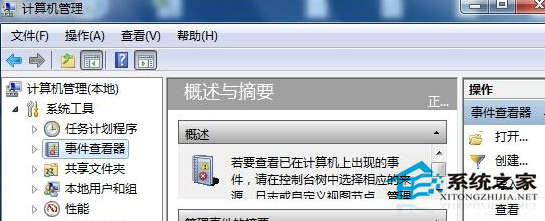
- 在「電腦管理」視窗左側依序展開:「系統工具」 → 「事件檢視器」。
- 在中間窗格中,依序點選「Windows 記錄」下的「應用程式」、「系統」、「安全性」等分類。
- 在右側「動作」面板中點擊「清除記錄」,系統會詢問是否儲存,選擇「清除」即可(建議先另存重要日誌)。
建議每隔一段時間執行一次清理,可有效減少系統負擔,保持電腦運作流暢。