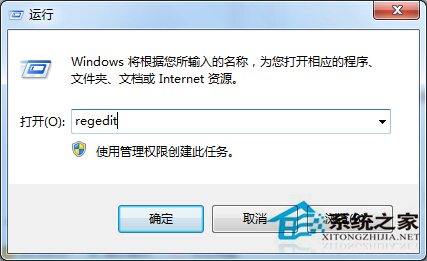
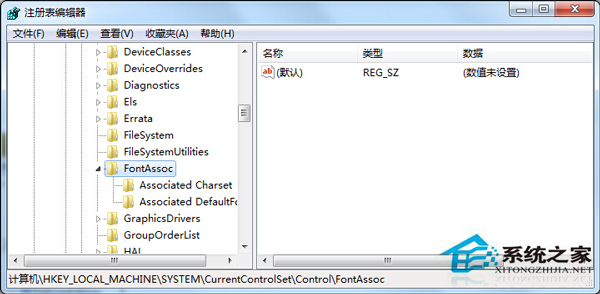
執行磁碟重組時若提示「硬碟磁碟區含有錯誤」,通常是檔案系統字元集關聯值遺失。可透過登錄檔補齊相關字串值解決。
regedit
HKEY_LOCAL_MACHINE \ System \ CurrentControlSet \ Control \ FontAssoc
Yes
SYMBOL
on
ANSI (00)
GB2312 (86)
WEM (FF)
SYMBOL (02)
完成後重新執行磁碟重組,錯誤訊息應消失,磁碟效能恢復正常。
Win7 批次關閉重複程式釋放 CPU 記憶體:指令法與捷徑法全攻略
Win7 雙顯卡切換黑屏解決:重啟優化與顯卡驅動更新雙管齊下
Win7 內建三大電源計畫:平衡、省電、高效能,筆電散熱續航一鍵切換
Win7 IE 瀏覽器「我的最愛」無法新增網頁?修改登錄還原收藏夾路徑
Win7 螢幕畫面旋轉 90/180 度怎麼辦?螢幕解析度設定一鍵還原正向
Win7 系統出現 DNS 解析失敗怎麼辦?一招清除快取搞定
Win7/Win8 升級 Win10 後清理舊系統檔案釋放空間教學
Win7 記憶體與磁碟空間優化全攻略:虛擬記憶體、磁碟清理與即時監控