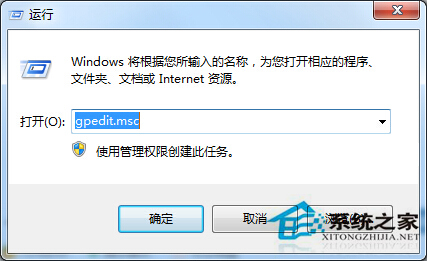
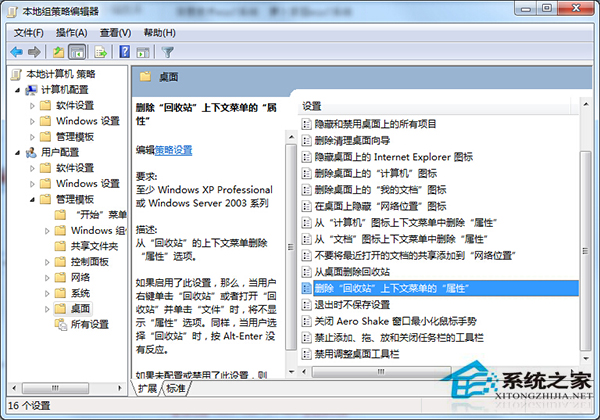
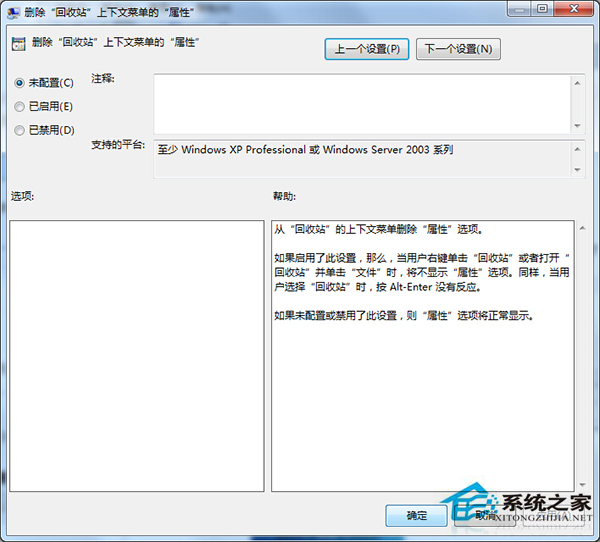
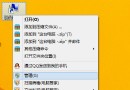
開啟資源回收筒彈出「此項目屬性未知」,通常是群組原則中「移除資源回收筒內容功能表中的屬性」被誤啟用。設為「未設定」即可修復。
gpedit.msc
關閉群組原則編輯器,重新開啟資源回收筒即正常。此策略原本用於限制用戶修改資源回收筒屬性 (如容量大小),誤啟用導致屬性頁面無法載入。
Win7 系統崩潰無法開機?啟動修復、系統映像、電腦管家三板斧搶救
Win7 線上影片無法緩衝播放?三大主因與對策完整分析
Windows 7 滑鼠一鍵呼叫 3D 立體視窗切換:建立快速啟動捷徑教學
Win7 如何安裝桌面主題?官方安裝與好桌道美化軟體兩種方法教學
電腦無法備份數據?常見原因與排查步驟全解析
Windows 7 忘記密碼解鎖全攻略:利用 System 權限 CMD 重設密碼或建立新管理員
電腦公司 Ghost Win7 藍畫面 0x0000007B 解決:病毒掃描、修復控制台、硬碟模式、CHKDSK、最後正確配置
組裝電腦不亮機?GTX 750 Ti 故障排查全流程