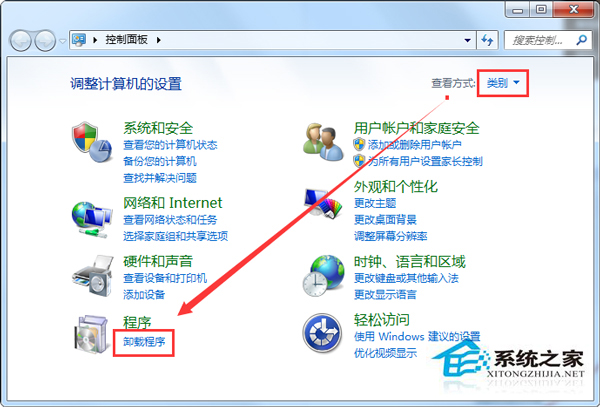
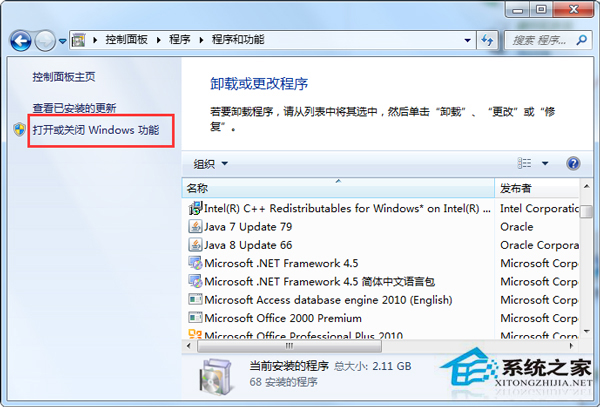
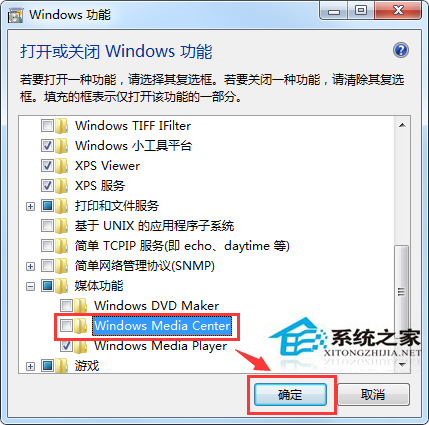
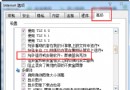
Windows Media Center 無法啟動、閃退,通常是元件註冊異常。透過「開啟或關閉 Windows 功能」移除再重新安裝即可重置組件恢復正常。
說明:此法等同重新註冊所有 WMC 相關 DLL、資料庫、權限。若仍失效,請檢查編解碼器衝突(建議安裝 LAV Filters、MadVR 等純淨解碼器)或系統檔案損毀(執行 sfc /scannow)。
sfc /scannow
Win7任務欄顏色自定義設置教程
Win7 命令提示字元快速刪除使用者帳號:net user /delete
Win7 Direct3D 功能不可用?dxdiag 診斷顯卡驅動狀態、安裝官方驅動或驅動精靈修復
Win7 存取工作群組電腦需要密碼?啟用 Guest 帳戶並設定密碼即可解決
Win7 C盘红了怎么清理?磁盘清理+360深度瘦身十步走教程
Win 7 如何快速叫出「執行」對話框?兩法:開始選單加入「執行」命令、Win+R 熱鍵
誤刪檔案清空回收站怎麼救?Windows 7 系統還原完整教學
Win7 網頁視頻播放無聲音?註冊表修復 wavemapper 完整教程