Win7 對時失敗常因 Windows Time 服務未啟動、預設時間伺服器無法連線。提供標準修復流程與替代伺服器。
標準修復步驟
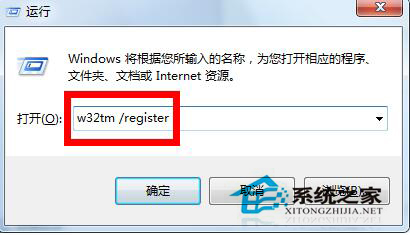
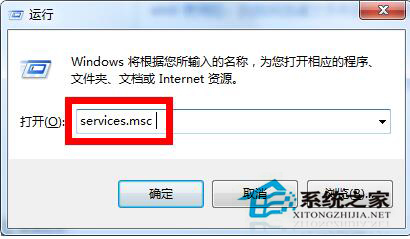
- Win+R →
w32tm /register 重新註冊時間服務。
- Win+R →
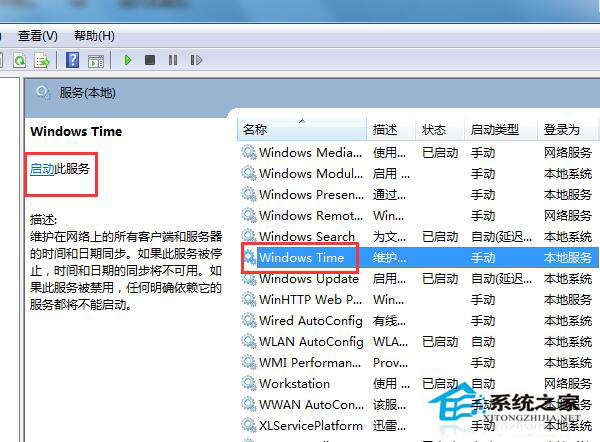
services.msc → 找到「Windows Time」→ 啟動類型設「自動」→「啟動」。
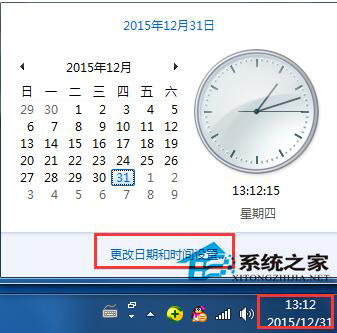
- 工作列時間右鍵 →「調整日期/時間」→「網際網路時間」→「變更設定」。
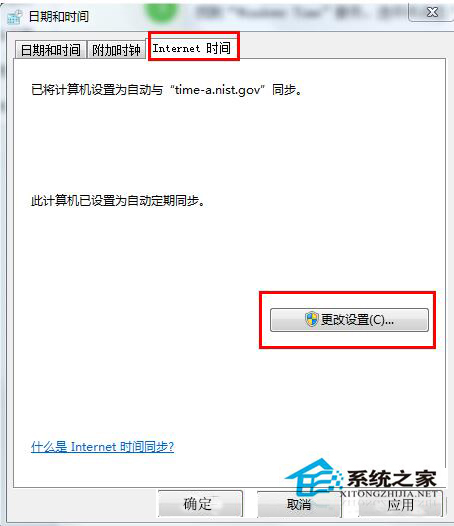
- 伺服器選擇 **time.windows.com** 或 **pool.ntp.org** →「立即更新」→「確定」。
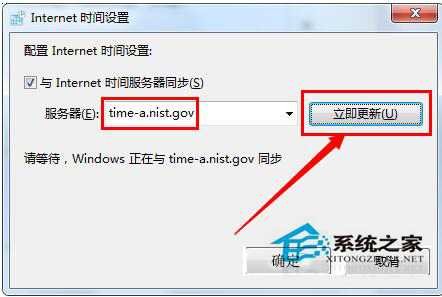
替代方案:使用中國國家授時中心伺服器
- 伺服器填入:**210.72.145.44** (或
cn.pool.ntp.org) →「立即更新」。
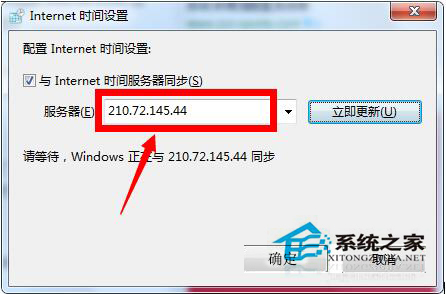
- 國內連線更穩定,成功率更高。
進階排查
- 防火牆/路由器需開放 **UDP 123 埠** (NTP)。
- CMD 執行
w32tm /query /status 檢查同步狀態與來源。
- 若 CMOS 電池沒電導致關機時間重置,需更換主機板電池。
依序執行上述步驟,多數同步失敗問題可解決。