想自訂域名指向 IP、屏蔽廣告/追蹤域名、測試本地網站?hosts 檔案是最直接的工具。本文提供 Win7 hosts 絕對路徑、預設內容完整備份、編輯權限取得、生效驗證全攻略,收藏即用。
無副檔名系統檔案,作為本地域名 → IP 對應表,優先順序高於 DNS 伺服器。系統解析域名時:
1. 檢查 DNS 快取 → 2. 讀取 hosts → 3. 查詢 DNS 伺服器。
若 hosts 含對應記錄 → 直接導向指定 IP;若 IP 為 0.0.0.0 或 127.0.0.1 → 達成屏蔽效果。
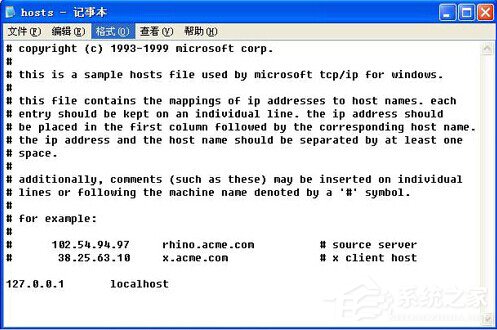
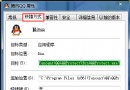
C:\Windows\System32\drivers\etc\hosts
# Copyright (c) 1993-2009 Microsoft Corp.
#
# This is a sample HOSTS file used by Microsoft TCP/IP for Windows.
#
# This file contains the mappings of IP addresses to host names. Each
# entry should be kept on an individual line. The IP address should
# be placed in the first column followed by the corresponding host name.
# The IP address and the host name should be separated by at least one
# space.
#
# Additionally, comments (such as these) may be inserted on individual
# lines or following the machine name denoted by a '#' symbol.
#
# For example:
#
# 102.54.94.97 rhino.acme.com # source server
# 38.25.63.10 x.acme.com # x client host
# localhost name resolution is handled within DNS itself.
# 127.0.0.1 localhost
# ::1 localhost
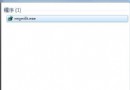
notepad → 右鍵「記事本」→「以系統管理員身分執行」。C:\Windows\System32\drivers\etc → 右下角「文字文件」改「所有檔案」→ 選 hosts → 開啟。127.0.0.1 ad.doubleclick.net127.0.0.1 analytics.google.com192.168.1.100 mysite.localcmd → ipconfig /flushdns 清除 DNS 快取。ping ad.doubleclick.net → 應回應 127.0.0.1。使用方式:下載專案 hosts 檔 → 以管理員權限覆蓋系統 hosts → ipconfig /flushdns。
ipconfig /flushdns 已執行。掌握 hosts 編輯,自訂解析、屏蔽廣告、本地測試全搞定,系統級網路控制權回到你手中!