Windows 7 預設桌面保留回收站圖示,若隱藏桌面圖示又常用回收站,可將其直接放入工作列快速存取區(Quick Launch 區),不佔桌面空間且功能完整。
操作步驟
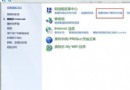
- 右鍵工作列空白處 → 工具列 → 「新增工具列」。
- 資料夾路徑輸入:
%userprofile%\AppData\Roaming\Microsoft\Internet Explorer\Quick Launch → 選取資料夾。
- 工作列出現「Quick Launch」標籤,右鍵取消「鎖定工作列」。
- 右鍵 Quick Launch 區 → 取消「顯示標題」、「顯示文字」;滑鼠右鍵 → 檢視 → 選擇圖示大小(建議小圖示)。
- 將桌面上的「回收站」直接拖曳到 Quick Launch 區。
- 調整位置後,右鍵工作列 → 「鎖定工作列」。
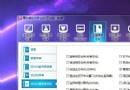
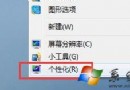
- 右鍵桌面 → 個人化 → 變更桌面圖示 → 取消「回收站」勾選,桌面徹底乾淨。
優點
- 回收站常用功能(開啟、清空、還原)右鍵選單完整保留。
- 不像釘選到工作列主按鈕區需點兩下才開啟選單。
- 可同步放入常用資料夾、檔案、指令捷徑,打造個人化快速啟動區。
適用版本
Windows 7 / Vista / 8 / 10 / 11 皆適用(路徑可能略異,Quick Launch 資料夾位置相同)。