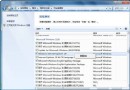
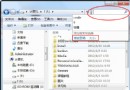
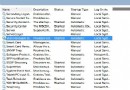
共用電腦時不想讓他人看到搜尋/地址列歷史?可透過群組原則或優化大師隱藏。
gpedit.msc
系統設定 → 系統設定 → 檔案總管設定 → 勾選「禁止檔案總管搜尋記錄」 → 套用設定。
兩法皆能有效保護隱私,依系統版本選擇適合工具。
微軟製作 Windows 7 使用技巧 TechNet 雜誌,邀用戶分享心得
解決 Win 7 資源管理器「已停止運作」頻繁崩潰問題
Win10創建熱點提示"無法啟動承載網絡"解決:啟用Microsoft虛擬適配器恢復熱點功能
Win7 筆電無線網路 WLAN AutoConfig 服務無法啟動?修改登錄與重置 Winsock 完整修復
移除顯示卡右鍵選單(Intel/AMD/NVIDIA):regsvr32 註冊/反註冊 DLL 一鍵淨化桌面右鍵
深度 Win7 旗艦版開機提示 disk read error 解決排查流程
Windows 7 多點觸控啟用條件:硬體支援、驅動安裝、最多 10 點觸控
讓 MSN / Windows Live Messenger 縮至 Windows 7 通知區域