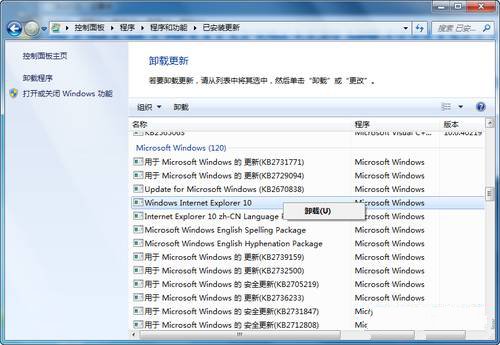
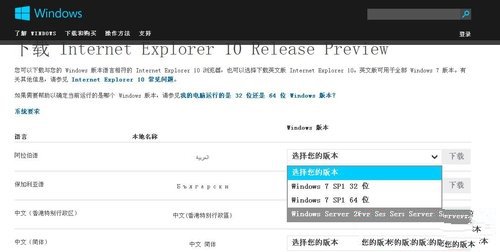
解除安裝後系統自動還原至 IE9 或 IE8(視原版本)。若想再次體驗 IE10,可至官網下載安裝,但預覽版可能不穩定,正式版發布時間另行公告。
區域網路 Win7 存取 XP 最簡便方法:複製「網上鄰居」捷徑
Win7 撥號成功卻無法開網頁?三大現象對應解法(TCP/IP 重裝、Modem IP、IE 分級審查)
Windows 7 八大常見問題與解答:升級前必讀
Windows 7 四大熱門疑難雜症解決:資料夾共享、音量圖示、ReadyBoost、eSATA 啟動慢
Win7/Win8/Win10 命令列一鍵設定靜態 IP 與 DNS:netsh 指令完整教學
開機卡在「按 F1 繼續」?BIOS 設定錯誤與 CMOS 電池故障完整排查
Win7 桌面小工具移植 Win10:Gadgetarian 安裝與 DPI 縮放修正教學
Windows 7 安全優化與瘦身攻略 釋放 C 盤空間、精簡服務