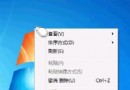
資源回收筒雖不起眼,但掌握進階設定能避免誤刪重要檔案、靈活管理各磁碟空間配額。
善用這些設定,資源回收筒從「被動垃圾桶」變身「主動保護網」。
Windows 7 系統托盤區改進:圖示自動收納、行動中心旗標、顯示桌面移至最右側
Win7 如何更換鎖定畫面壁紙?修改登錄 + 放入背景檔案完整教學
開機彈出「AMD Quick Stream 已停止運作」?停用啟動項或更新顯卡驅動
在 Windows 7 安裝 WMP 11 解決迅雷看看相容性問題
Win7 鍵盤按一次顯示重複字元?調整「字元重複」延遲速度解決按鍵抖動
Win7 連線隱藏 SSID 無線網路:右下角無線圖示 → 其他網路 → 輸入 SSID 與密碼(區分大小寫)
微軟取消 Windows 7 Beta 250 萬下載限制:1 月 24 日前皆可申請序號
Windows 7媒體中心無法識別Real格式?教你輕鬆破解限制