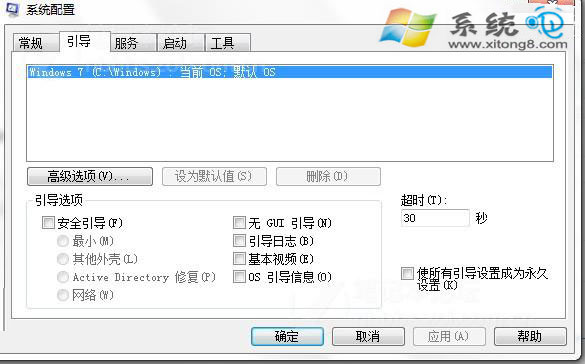
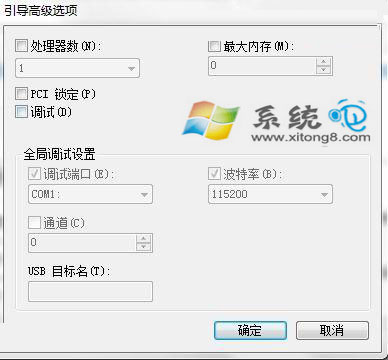
裝 4GB 記憶體卻顯示「可用 2GB」,常因系統配置錯誤將部分記憶體保留給硬體(如顯示卡)。透過 msconfig 取消「最大記憶體」限制即可恢復。
msconfig
若需完整使用 4GB 以上記憶體,請改裝 64 位元 Windows 7。
Win7 Windows Update 更新失敗循環解決:清除 DataStore
Win7 退出網域環境恢復工作群組:電腦名稱變更操作指南
Win7 開啟「上帝模式」完全控制面板:單一視窗掌控 278 項系統設定
Win7 檔案關聯搞亂了?assoc 指令修復 .lnk=lnkfile 關聯,恢復捷徑正常運作
Win7 系統屬性面板快速開啟四大絕招,一鍵直達進階設定
Win 7 顯示隱藏檔案/資料夾:兩步驟搞定,比 XP 更直觀
Win7 免費延長試用期:slmgr.vbs /rearm 最多 120 天 + 註冊表 SkipRearm 再延 240 天 (共 360 天)
調整 Windows 7 系統還原磁碟空間用量:三步驟自訂配額