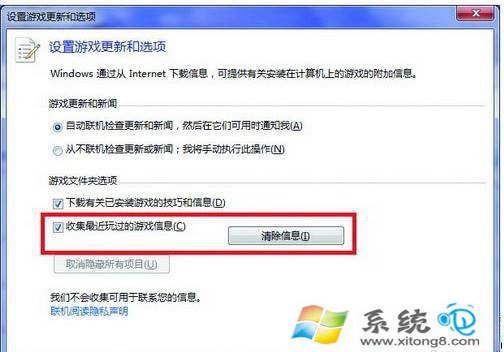
玩遊戲會產生快取與暫存檔,久而久之佔據大量空間。Win7 遊戲總管提供一鍵清理功能,無需第三方工具。
定期執行可保持硬碟乾淨,避免遊戲垃圾檔案堆積。
讓 Windows 7 睡眠喚醒後自動撥號上網 任務排程器實作
Windows 7 滑鼠中鍵隱藏技巧:快速開啟/關閉視窗
Win7 如何開啟寫字板?三種方法快速啟動 WordPad
Win7 徹底移除印表機驅動程式:列印伺服器屬性與列印緩衝器清理法
Windows 7 安裝後網路頻繁斷線?關閉網卡省電功能徹底解決
Win7 移除已安裝更新:控制台程式與功能完整步驟
Windows 7 搜尋功能失效修復方法
msconfig 優化 Windows 7 開機速度:縮短逾時、多核心啟動、延遲 UAC、管理啟動項