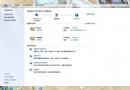
系統使用久變慢常因 DLL 快取未釋放,透過登錄新增 AlwaysUnloadDll=1 強制卸載未使用的 DLL,釋放記憶體資源,緩解卡頓。
AlwaysUnloadDll=1
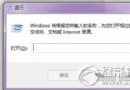
regedit
HKEY_LOCAL_MACHINE\SOFTWARE\Microsoft\Windows\CurrentVersion\Explorer
1
三步驟完成,系統將在程式關閉時主動卸載 DLL,減少記憶體佔用,改善卡頓現象。
解決 Win7 睡眠模式無法喚醒:檢查硬體支援與喚醒裝置設定
Win 7 開機動畫消失變黑畫面綠條?解析原因與修復 locale 語言設定教學
Windows 7軟體相容性問題全解析:相容模式與XP Mode實戰指南
Win7 連上 WiFi 卻無法上網?電腦管家「電腦診斷」→「上網異常」一鍵修復
Win7 安全中心服務異常?啟用 Security Center 服務修復
Win7 光碟機讀不到光碟?關閉 Shell Hardware Detection 服務即可解決
Win7 更改輸入法圖示教學:自訂任務列語言列圖標
Windows AD RMS 部署失敗:SCP 殘留導致無法重新安裝的完整排查與解決實錄