想列印資料夾內所有檔名清單?Win7 無直接列印目錄功能,但可用 dir 指令導出文字檔或建立批次檔加入「傳送到」選單,一鍵列印。
cmd 切換目錄)。dir > filelist.txt → Enter,資料夾產生 filelist.txt 含所有檔名。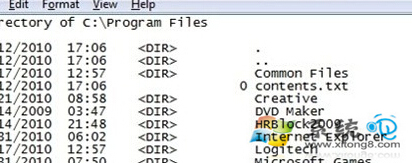
Printdir.bat:@echo off dir %1 /-p /o:gn > "%temp%\Listing" start /w notepad /p "%temp%\Listing" del "%temp%\Listing" exit
Printdir.bat 到 C:\Windows。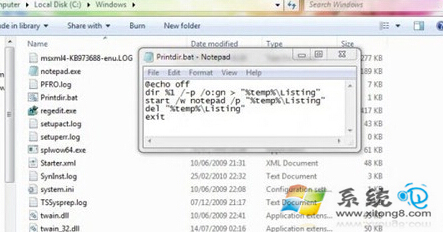
%APPDATA%\Microsoft\Windows\SendTo → 將 Printdir.bat 捷徑放入 (或直接複製 .bat)。之後右鍵任何資料夾 →「傳送到」→「Printdir」即自動開啟記事本列印該資料夾清單。