任務管理器出現 msfeedssync.exe,是 IE7/IE8 的 RSS 訂閱同步排程。不使用 RSS 功能可關閉,減少背景資源佔用。
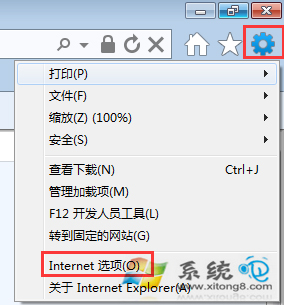
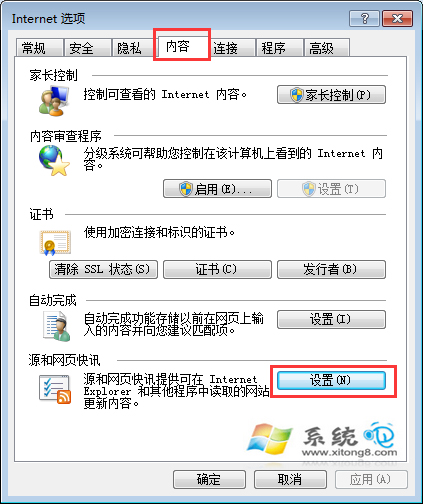
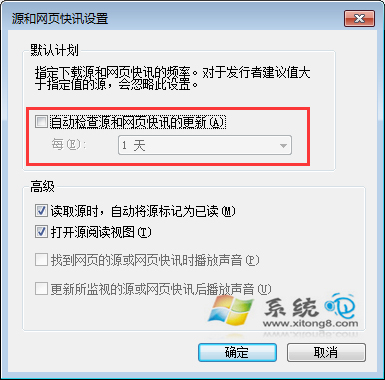
C:\Windows\System32\msfeedssync.exe,不建議手動刪除(系統檔保護會還原)。Windows 7 服務優化實測:停用自動服務加快開機,但不提升運行速度
挖掘 Windows 7 隱藏功能:一行指令架設自己的 Wi-Fi 基地台
Win7 調整工作列寬度與位置:解鎖→拖曳調寬/移至左/右/頂→鎖定固定
IE 網頁顯示不全、版面跑版?Win7 下 4 大原因與對策
Windows 7 開機卡在「自動修復」無法進入系統?spoon.sys 驅動衝突三方案修復
Windows 7:低下你的頭——微軟營銷變革與消費者主權時代來臨
Win7 安裝 IE10 提示「安裝前需要更新」?必裝 5 個先決條件補丁 (KB2729094/KB2731771/KB2533623/KB2670838/KB2786081) 統合包解決