工作列輸入法圖示不見了?三大常見原因:輸入法被刪除、語言列隱藏、ctfmon 程序未啟動。本文提供完整恢復步驟。
找到「文字服務與輸入語言」設定視窗
兩種方法:
- 開始 → 控制台 → 時鐘、語言與地區 → 變更鍵盤與其他輸入法 → 變更鍵盤
- 開始搜尋「語言」 → 選「變更鍵盤與其他輸入法」 → 變更鍵盤
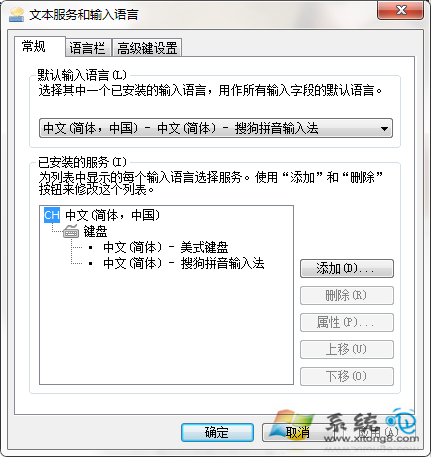
對症下藥
- 輸入法被刪除:點「新增」重新加入所需輸入法(如微軟注音、美式鍵盤)
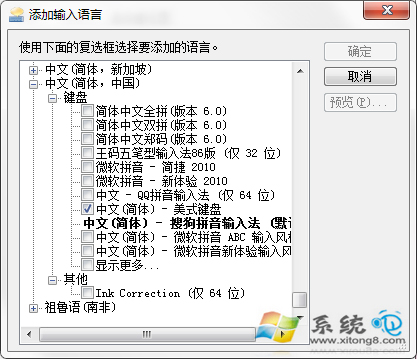
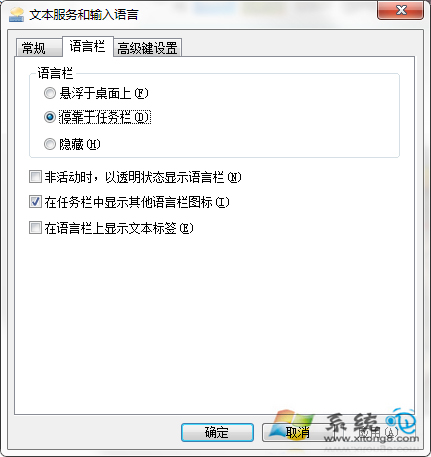
- 語言列位置錯誤:「語言列」頁籤 → 選「停駐在工作列」 → 確定
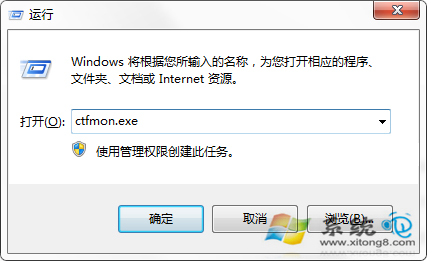
- ctfmon 未啟動:Win+R →
ctfmon.exe 手動啟動語言列
適用 XP 系統
上述方法同樣適用 Windows XP。