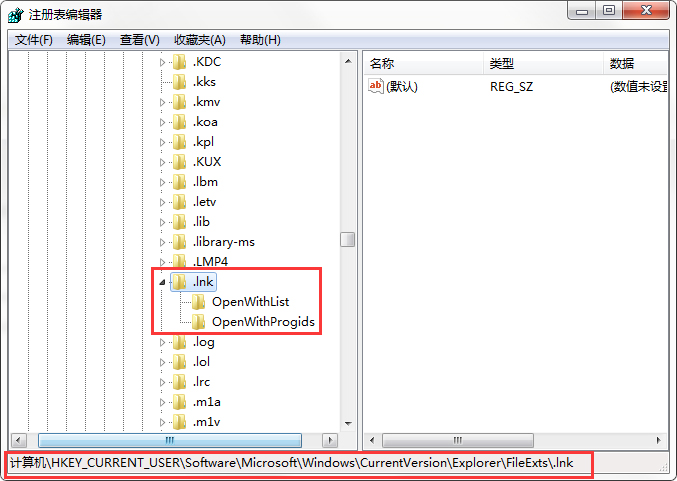
桌面捷徑點擊無反應、圖示變白、或以記事本開啟,皆為 .lnk 檔案關聯損壞。修復登錄檔 HKEY_CURRENT_USER\Software\Microsoft\Windows\CurrentVersion\Explorer\FileExts\.lnk 即可恢復。
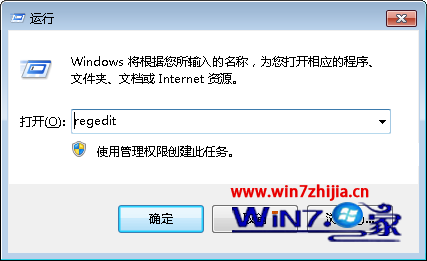
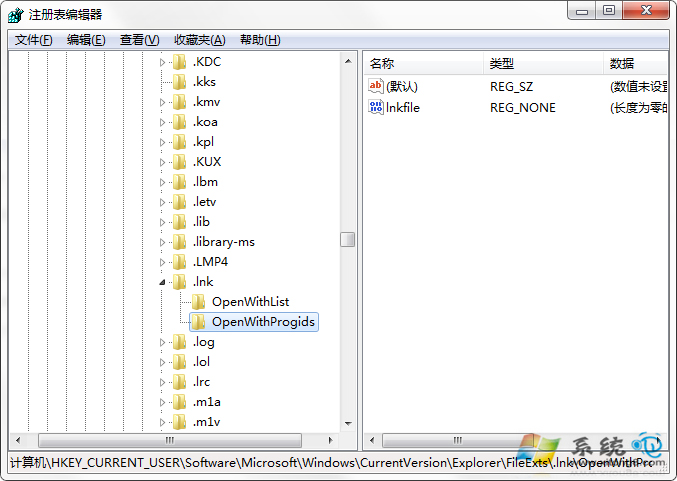
regedit → Enter。HKEY_CURRENT_USER\Software\Microsoft\Windows\CurrentVersion\Explorer\FileExts\.lnk。OpenWithList、OpenWithProgids 以外的所有鍵值。OpenWithList 保留預設值,刪除其餘項目。OpenWithProgids 保留「預設」與 lnkfile,刪除其餘。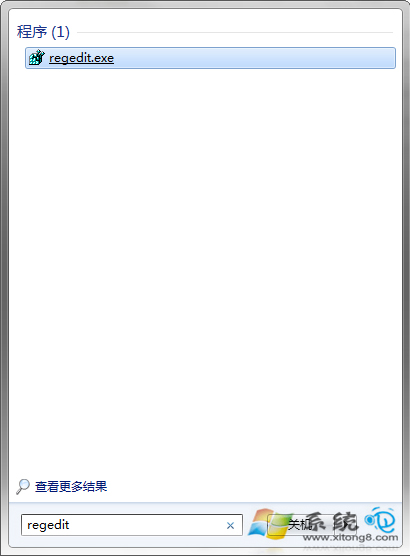
清理圖示快取:
Win + R → cmd → 依序執行:
ie4uinit.exe -show
taskkill /f /im explorer.exe
del /a /f /q %LocalAppData%\IconCache.db
start explorer.exe