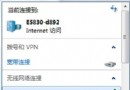
Win7 安裝更新重開機後出現黑屏(僅有滑鼠游標),多半是 explorer.exe 進程未正常啟動。無需重裝系統,任務管理器手動啟動即可恢復桌面。
快速修復步驟
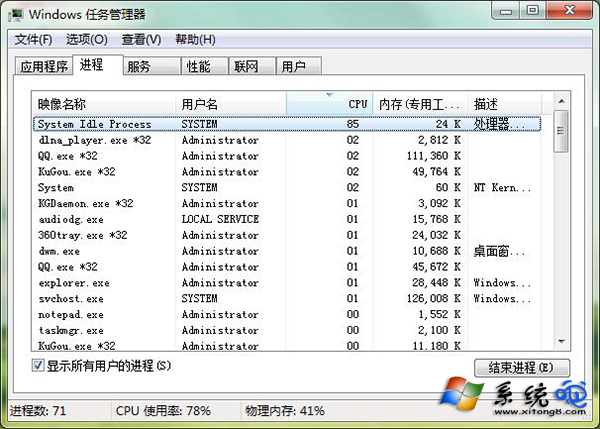
- 按 Ctrl + Shift + Esc 直接開啟任務管理器。
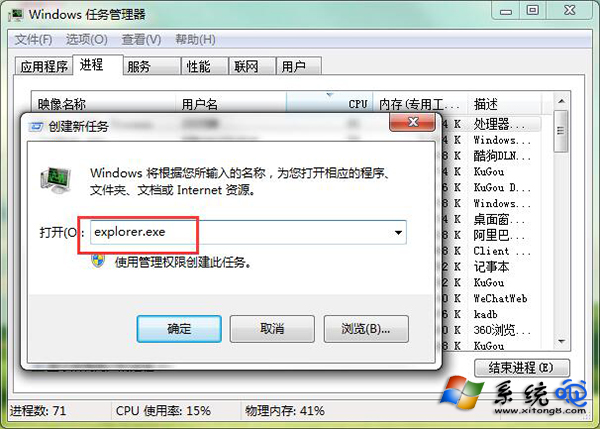
- 點選「檔案」→「執行新工作」(或「新增工作」)。
- 輸入
explorer.exe,勾選「以系統管理權限建立此工作」,按 Enter。
- 桌面、工作列、開始功能表即刻恢復正常。
後續預防
- 若頻發,檢查開機啟動項是否有損壞的殼擴充套件(用 Autoruns 排查)。
- 確保系統磁碟有足夠空間(>15%)。
- 考慮延遲非關鍵更新,或建立還原點後再更新。
若此法無效,嘗試安全模式下執行 sfc /scannow 修復系統檔案,或執行系統還原。