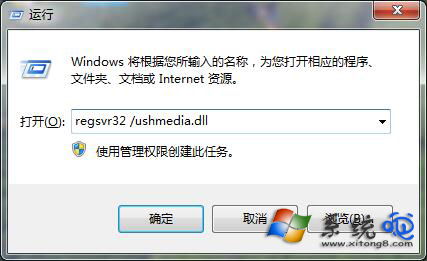
行動硬碟插入後無法開啟、彈出錯誤,嘗試重新註冊 shell32.dll 修復 Shell 擴充介面異常。
shell32.dll
regsvr32 /u shell32.dll
regsvr32 shell32.dll
一條指令重註冊 Shell 核心元件,快速嘗試修復行動硬碟無法開啟。
Win7 開始選單搜尋方塊消失?開啟 Windows Search 功能教學
Win7 單一磁碟機加密保護資料:BitLocker 磁碟機加密逐步設定
Windows 7 一鍵查詢系統安裝日期:Systeminfo 指令完整教學
64 位元 Win7 升級 IE11 後無法啟動 解決方案
Win7 手動移除印表機驅動程式完整教學:列印伺服器屬性、停用 Print Spooler 與清理 Spool 資料夾
Windows 7 快速將硬碟轉換為 NTFS 格式指令教學
Windows 7 變慢怎麼辦?清理右鍵「開啟方式」殘留註冊鍵值提升效能
Windows 7 將 IE11 降級為 IE10 圖文教學 (精簡版)