Windows XP Windows 7 Windows 2003 Windows Vista Windows 綜合教學 Linux 系統教學
Windows 10 Windows 8 Windows 2008 Windows NT Windows Server 電腦軟體教學

Win7 啟動程式提示缺少 mfc42d.dll?下載註冊至 System32 修復

編輯:Windows 7 系統介紹

mfc42d.dll 為 Microsoft Foundation Class (MFC) 4.2 偵錯版動態連結庫,缺失常因病毒清除或 Visual C++ 執行庫損壞。補檔註冊即可修復。

修復步驟

  1. 從可信來源下載 mfc42d.dll(通常隨 VC++ 6.0/舊版 MFC 應用程式部署)。
  2. 複製至系統目錄(所有 Windows 版本通用):
    C:\Windows\System32\
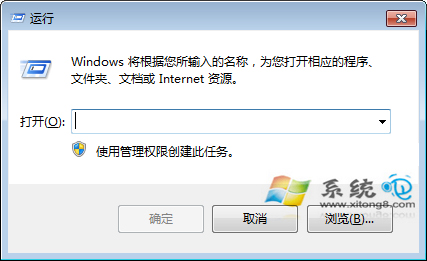
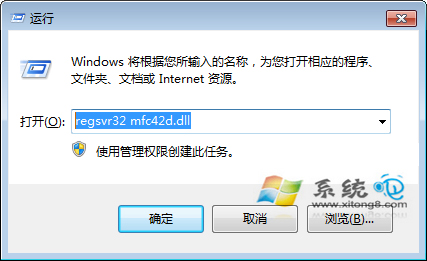
  3. Win+R → regsvr32 mfc42d.dll 註冊(管理員權限)。
  4. 重啟程式驗證。

缺少 mfc42d.dll 錯誤

執行 regsvr32

註冊成功提示

系統目錄對照表(參考)

  • Win 95/98/Me/XP/7/8/10/11 (32位程式) → C:\Windows\System32\
  • Win NT/2000 → C:\WINNT\System32\
  • 64位系統執行 32位程式 → C:\Windows\SysWOW64\

根治建議

  • 安裝 Microsoft Visual C++ 2005/2008/2010/2012/2013/2015-2022 Redistributable 完整包(x86+x64),自動部署所有 MFC/CRT/ATL 組件。
  • 執行 sfc /scannow 修復系統檔案。
  • 避免單獨下載 DLL,版本不匹配易引發新錯誤。

補齊 MFC 偵錯庫,舊版應用程式重獲新生。

Copyright © Windows教程網 All Rights Reserved