安裝印表機驅動時出現「RPC 伺服器不可用」,主因是 Remote Procedure Call (RPC) 服務未啟動。RPC 是 Windows 進程間通訊的核心服務,必須設為自動啟動。
啟動 RPC 服務步驟
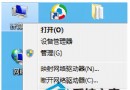
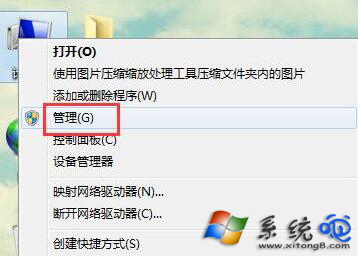
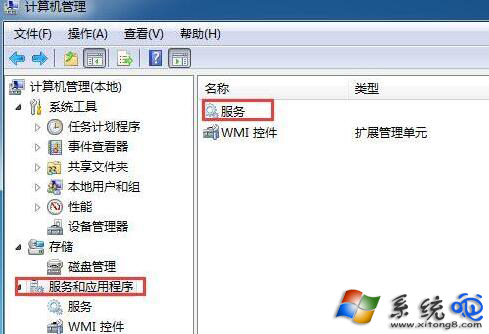
- 右鍵「電腦」→「管理」,開啟「電腦管理」。
- 左側展開「服務和應用程式」→「服務」。
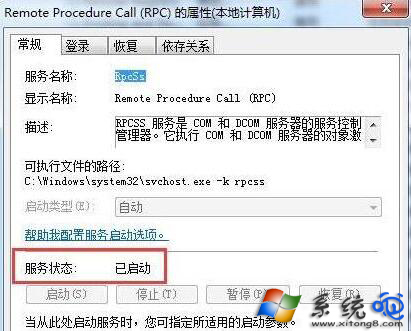
- 在右側列表找到 Remote Procedure Call (RPC),雙擊開啟屬性。
- 將「啟動類型」改為「自動」,若服務狀態未運行,點擊「啟動」。
- 確定儲存,重啟電腦後再嘗試安裝印表機。
相關依賴服務同步檢查
RPC 正常運行還需確保以下服務同為「自動」且已啟動:
- DCOM Server Process Launcher
- RPC Endpoint Mapper
- Windows Firewall(若啟用防火牆)
修復 RPC 服務後,印表機安裝與網路共享功能即可恢復正常。