軟體升級反覆出現錯誤 0X80070643,主因系統元件損毀。修復:開始搜尋 CMD → 右鍵「以系統管理員身分執行」→ 輸入 sfc /scannow → 等待掃描修復完成(可能需數分鐘) → 重開機後再嘗試升級軟體,錯誤即可解除。
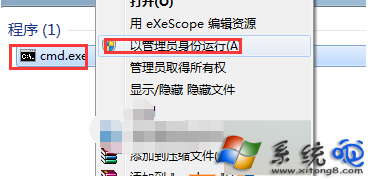
sfc /scannow
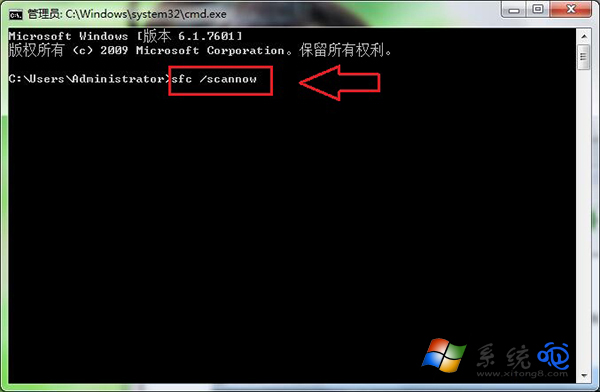
系統檔案檢查工具會自動比對並替換損毀的系統檔案,解決升級過程中缺少關鍵元件的問題。若 sfc 無法修復,可嘗試 DISM /Online /Cleanup-Image /RestoreHealth(Win8/10/11)或修復安裝/重灌系統。