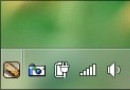
Windows 7 無內建靜音切換熱鍵,可透過批次檔呼叫 VBScript 模擬鍵盤 `Volume_Mute` 媒體鍵 (虛擬鍵碼 `0xAD`),實現一鍵切換靜音/取消靜音。
@echo off
:: 建立暫存 VBScript 送出 Volume_Mute 鍵 (0xAD)
echo Set WshShell = WScript.CreateObject("WScript.Shell") > %temp%\mute.vbs
echo WshShell.SendKeys(chr(&HAD)) >> %temp%\mute.vbs
:: 執行並自動刪除暫存檔
cscript //nologo %temp%\mute.vbs
del /f /q %temp%\mute.vbs
若系統已安裝 PowerShell 3.0+ (Win7 需另裝),可直接建立 `Mute.ps1`:
Add-Type -AssemblyName System.Windows.Forms
[System.Windows.Forms.SendKeys]::SendWait([char]0xAD)
捷徑目標設為:`powershell -WindowStyle Hidden -ExecutionPolicy Bypass -File "完整路徑\Mute.ps1"`