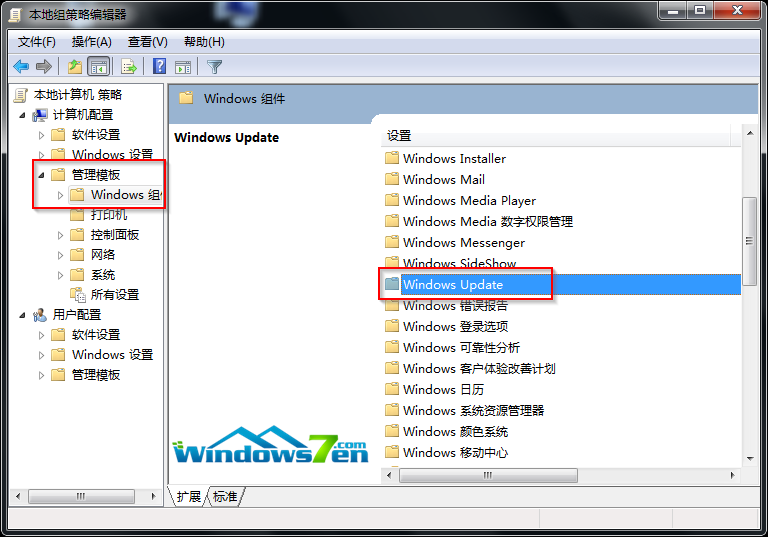
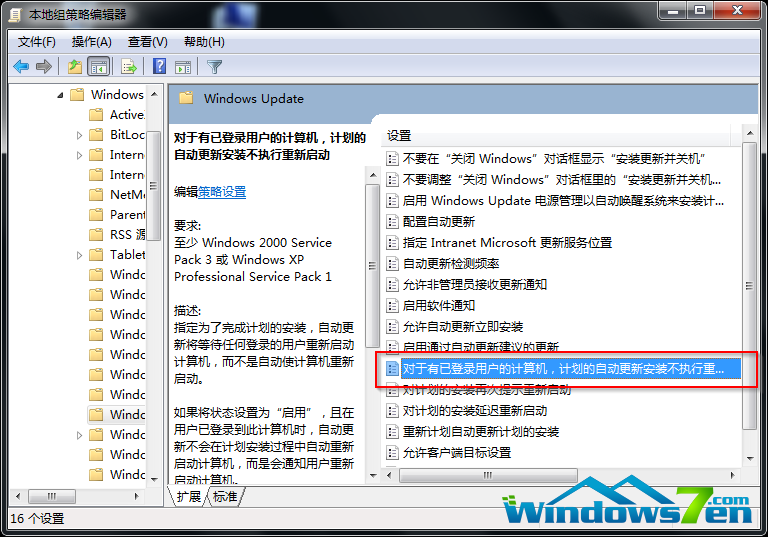
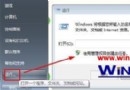
gpedit.msc
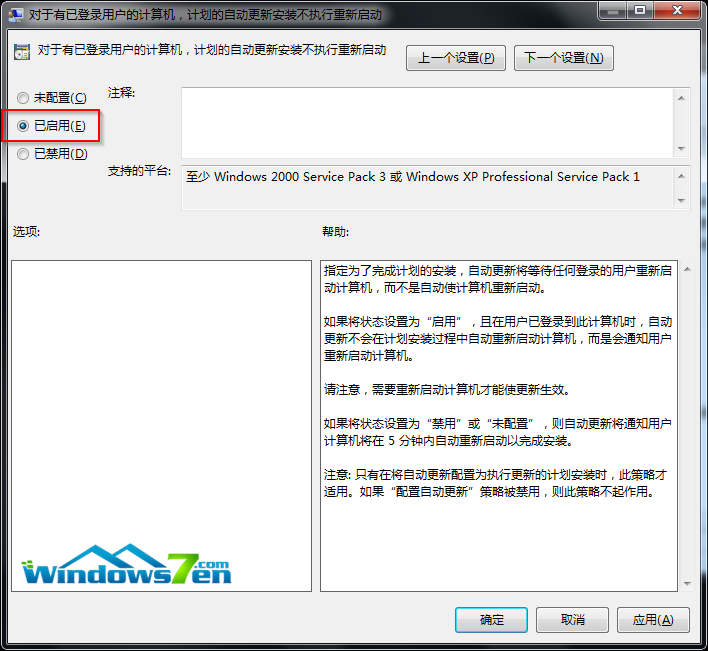
之後更新完成僅提示「需要重新啟動」,不再強制倒數重開機,由使用者自行選擇重開機時機,避免中斷工作。
Windows 7 拒絕連接無線路由器?升級路由器韌體 (Firmware) 解決相容性問題
騰訊電腦管家 Windows 10 升級助手:一鍵免費升級正版 Win10
如何破解 Windows 7 主題使用第三方主題?官方建議:不推薦破解,善用內建主題與線上資源庫
Windows 7 全新熱鍵完整速查表(含滑鼠手勢)
Win7 任務排程器實現開機自動撥號寬帶:與 14734 同主題,補充英文介面操作細節與驗證步驟
Win7 啟用共享服務出現 0x80004005 錯誤?雙管齊下修復法
Win7 調整 UAC 使用者帳戶控制等級:四級安全性詳細說明
Win7 計算機不只是加減乘除:科學/程式設計/統計/單位換算/試算表全能神器