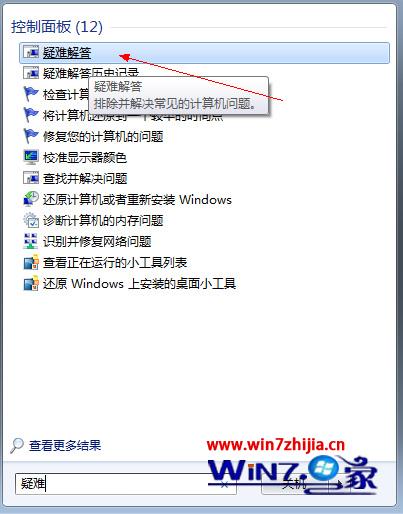
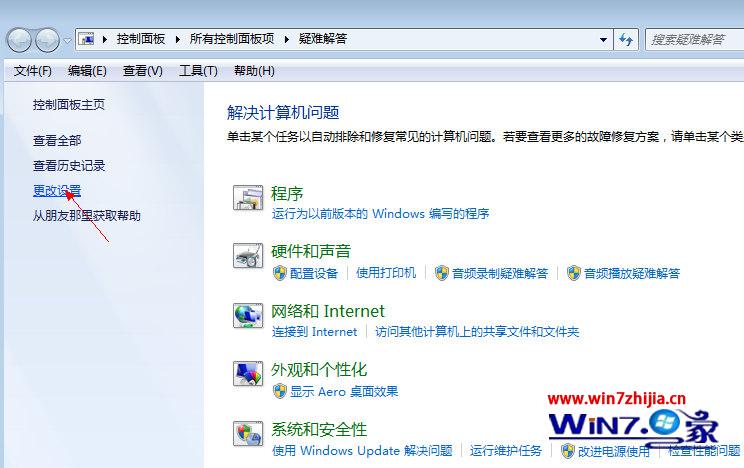
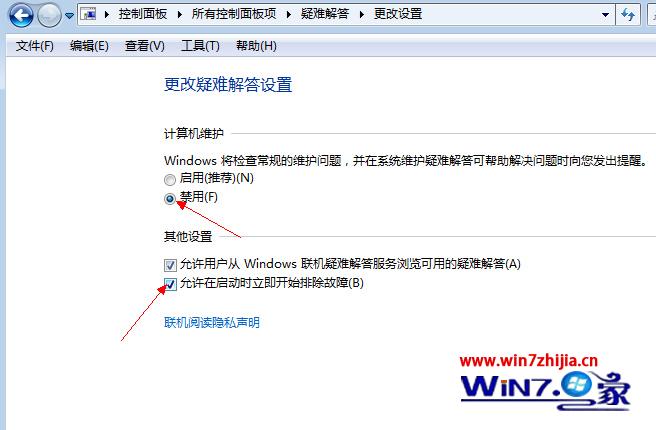
Windows 7 系統維護疑難排解會定期掃描並自動移除判定為「損毀/無效」的桌面捷徑(如目標檔案暫時不可存取的網路捷徑)。關閉此功能可防止捷徑莫名消失。
Win7 網路頻繁斷線?關閉網卡省電功能一勞永逸
Windows 7 作業系統服務清理手動優化方案:完整知識庫與分場景停用清單 (重複 ID 15180)
Win7 32位 修改磁碟機代號:磁碟管理變更磁碟屬性圖解
Win7 搜尋檔案太慢?優化索引選項與開始選單設定大幅提速
驅動人生解決 Windows 7 聲卡安裝失敗:權限保護導致無法寫入
Windows 7 桌面檔案無法刪除終極排查:八大成因與對應解決方案全攻略
Win7 IIS 本機測試 localhost 出現 404 錯誤?修正網站繫結 IP 設定
Windows 7 家庭組輕鬆打造局域網共享資源完整教學